Proposal Approvals: How to Control What Gets Sent
What happens when someone on your team finishes a proposal? Can they send it straight to the client or does someone else need to check it first?
If your answer is “depends who wrote it” or “have they included a discount?”, you’ve already got the beginnings of a proposal approval process on your hands.
What is a proposal approval process?
A proposal approval process is the internal process your business follows to check an offer and authorize it for sending. It establishes who reviews the proposal, what they’re responsible for checking, and who decides whether it’s ready.
For a small agency, the process might be as simple as the owner checking the scope and price before a rep sends it. A larger business might need input from delivery, finance, or legal, depending on the offer.
Proposal review vs approval: What’s the difference?
Reviewing a proposal means checking it over and giving feedback. You might be looking for typos or making sure the team can actually meet the timeline.
Approving it means giving permission to move forward. It’s the final check before the proposal goes to the client.
Which proposals need approval?
You can require every proposal to be approved, or set an internal policy for which offers need an extra check.
Checking every proposal makes sense when someone’s learning the job, when you sell custom work, or when the terms you agree to affect how the work gets delivered. But if your team sells an established product or service at a fixed price, with standard terms? There’s less reason to ask for approval every time.
How to set up your proposal review and approval process
Once you’ve decided what needs checking and who’s responsible, put those decisions into a process people can follow.
1. Start with a template
Before your team starts writing proposals, give them a template with the content you’ve already agreed on. That could include your payment terms, revision limits, and standard service descriptions.
Decide which parts people should tailor to each client and lock anything they shouldn’t change without permission. Your rep can then personalize the introduction and put together the offer without accidentally promising unlimited revisions along the way.
This also gives reviewers less to check each time. They can focus on the client’s scope, pricing, and any exceptions instead of rereading the same standard terms in every proposal.
2. Set permissions for your team
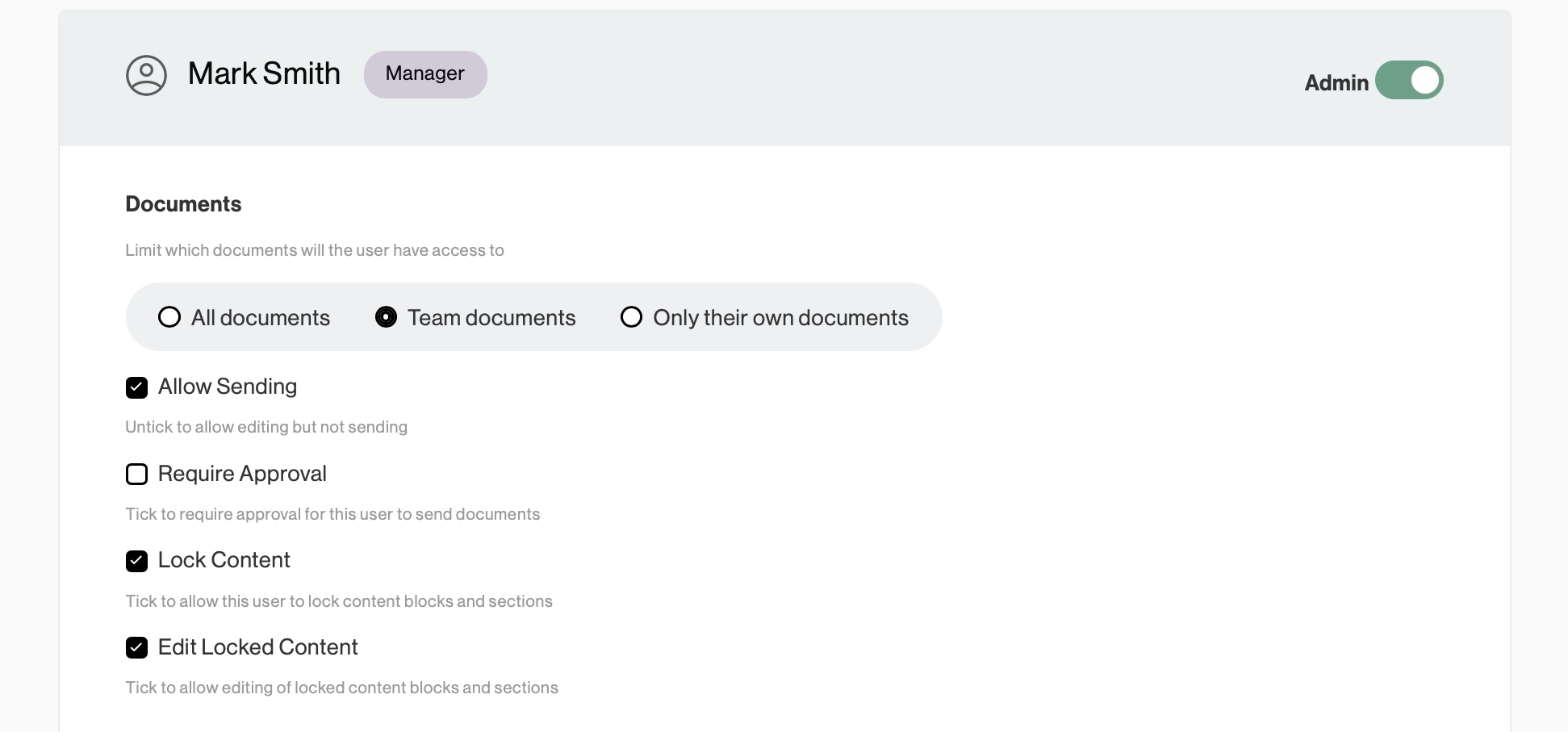
Next, decide what each person needs access to. A rep might need to create and edit proposals, but have no reason to change the shared template. Someone new might need approval before sending each proposal, while an experienced colleague doesn’t.
In Better Proposals, you can set permissions for each user and assign a manager to anyone who needs sending approval.
3. Get the right details checked
Once the draft is ready, tag whoever you need in a comment inside the proposal. Ask your project manager to check the timeline or your sales manager to look at a discount. The content they need to review is right there.
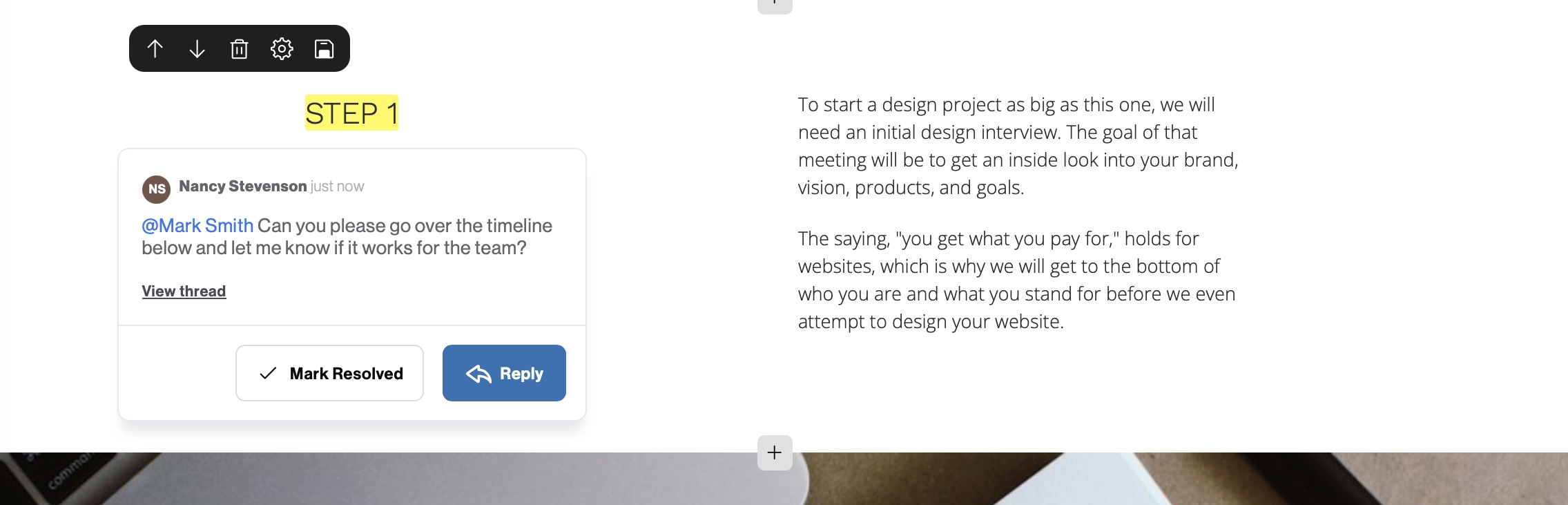
“Can we deliver this in six weeks if the client supplies their content before we start?” is easier to respond to than “Thoughts?” Keeping the conversation in the document also means you can refer to their feedback as you make changes.
4. Submit the finished proposal for approval
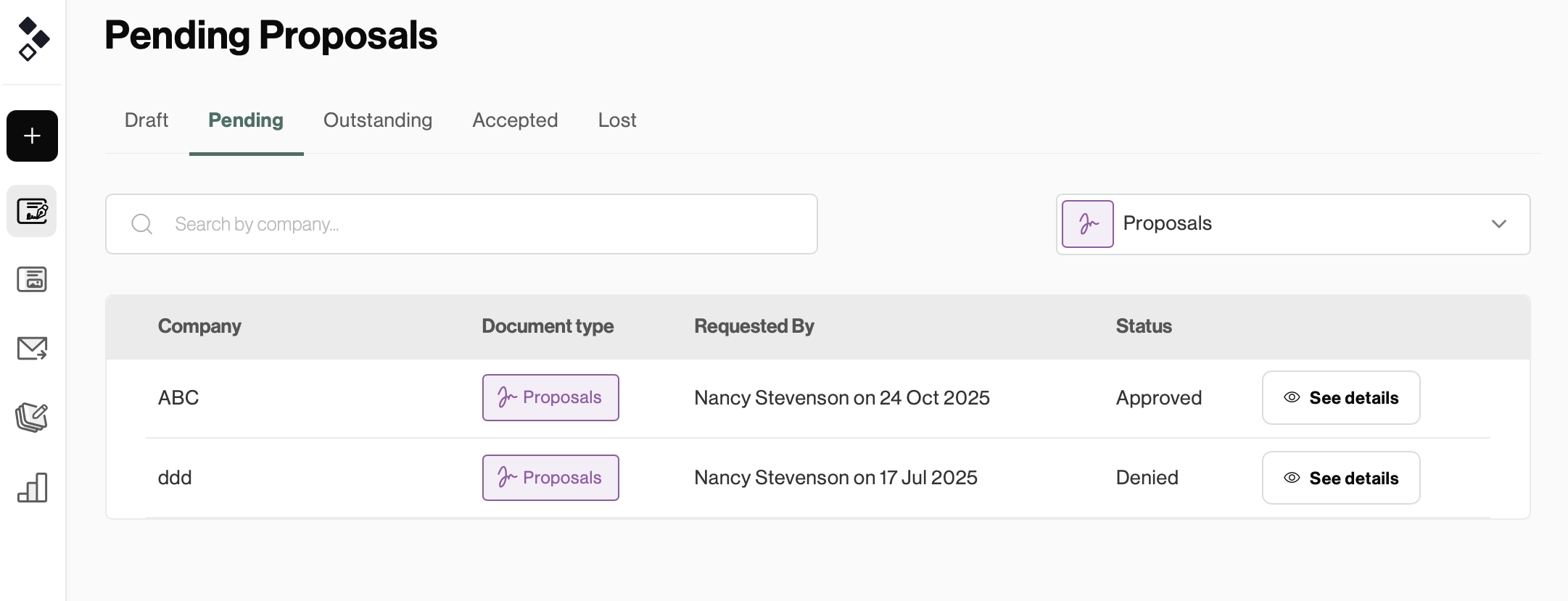
Once the feedback's been addressed, it’s ready for approval. In Better Proposals, the assigned manager can approve the proposal for sending or deny the request with feedback.
There’s a dedicated Pending tab where you can see what’s waiting for review, what’s approved for sending, and what’s been denied.
Keep control as your team sends more proposals
You shouldn’t have to check every proposal yourself just to feel comfortable with what’s being sent. And your team shouldn’t have to guess which decisions need your input. A clear review and approval process gives them room to prepare the offer and keeps you involved where you need to be.
With Better Proposals, those controls sit in the same place your team writes and sends proposals. Set permissions, lock your standard content, and assign sending approvals. The checks become part of putting the proposal together. Try it free today and see for yourself.