Proposal Software With Payments: What to Look For
You’ve spent time putting the proposal together. The pricing table shows exactly what the client will get, what each option costs, and what they’ll pay if they say yes. They do say yes.
Then, you find yourself entering those same numbers into an invoice. A few days later, you’re writing an email that's more or less saying: “Great, but could you pay the deposit first?”
You naturally don’t want to start work before the money arrives, but you also don’t want the first conversation after their yes to be a payment chase. The easier time to ask for that deposit was when they were already accepting the price.
That’s what you want from proposal software with integrated payments: the client signs, then pays an amount calculated from the price they just accepted. Here’s what to check, from how it calculates the amount due to what happens after the client pays.
Can you collect the deposit right after signing?
For many service businesses, the first payment is a deposit. Check how the software you're looking at calculates that amount:
- Can you request a fixed deposit, a percentage of the agreed price, or both?
- If you sell in packages, can the client select them and will the deposit match the package?
- If the client chooses optional services in the proposal, does the deposit update to match their selection?
- If tax applies, is it reflected correctly in what they see at checkout?
The key is whether the deposit is connected to the pricing table. If the client changes their package or adds an optional service, you shouldn’t have to recalculate the deposit and send a separate payment link. The amount they’re asked to pay should reflect what they just agreed to.
Can the client pay the full amount when that makes sense?
A deposit isn't always the right first step. If you're selling a one-off consultation, a small project, or a defined package, you may want the client to pay in full.
Look closely at proposals with selectable add-ons and packages. Say your base package costs $2,000 and the client adds on a $400 workshop. If they need to pay in full, the checkout amount should reflect the $2,400 they accepted.
What happens with recurring payments?
A proposal can secure a monthly retainer, but the first payment and ongoing billing aren't necessarily the same thing. When choosing proposal software with payments, make sure to look at how subscriptions are handled.
If only the first payment is taken through your document, you'll want the system to store the customer's details in your billing system. Ideally, your proposal software would talk to your payment provider's system so you can start a subscription from the document.
What you don't want is software that collects the first payment, but doesn't store your customer's details for subsequent payments. If you sell retainers or subscriptions, walk through these questions:
- Can the client agree to the recurring price and billing frequency in the proposal?
- Does signing lead to a payment method being collected?
- Does the software differentiate between paid and unpaid proposals?
- Where do you set up future charges?
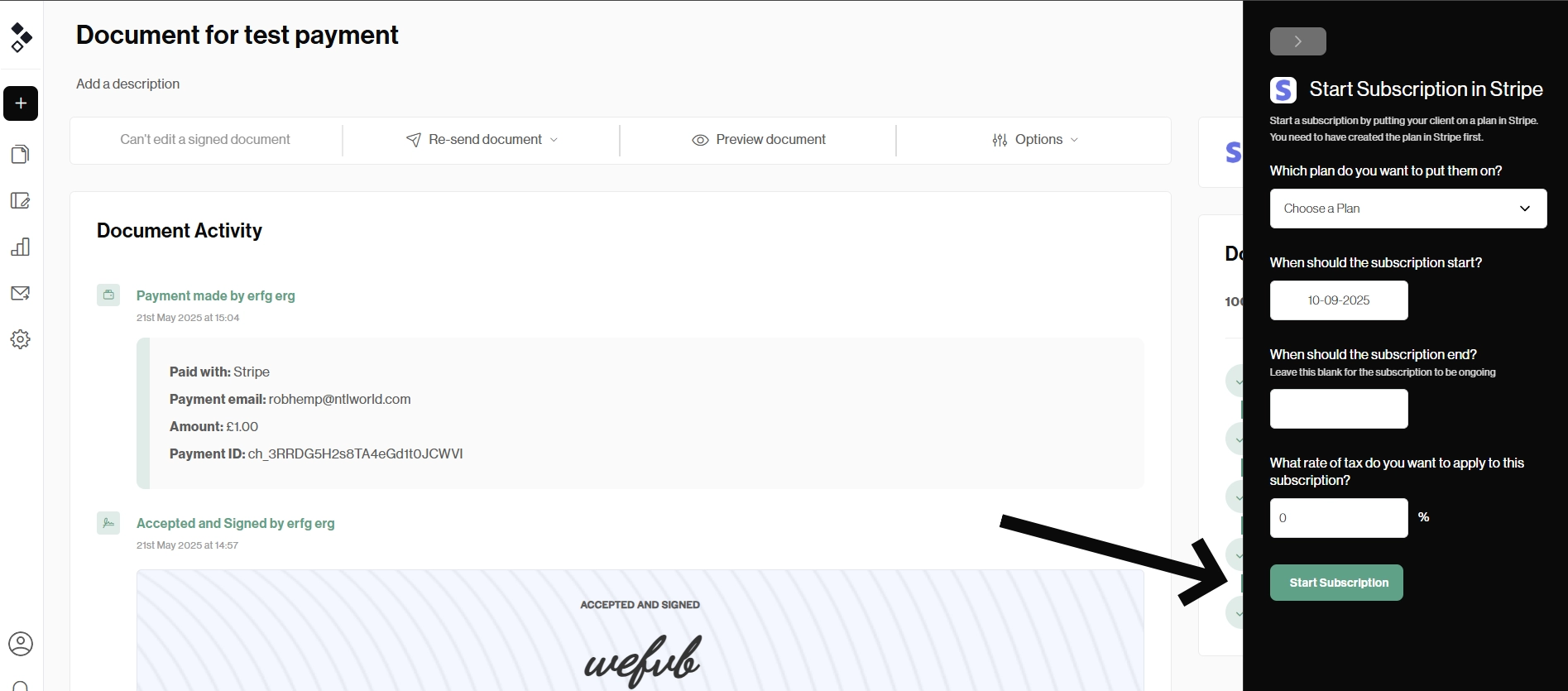
The proposal is usually the start of the billing relationship, not the place where every future billing task happens. That's fine as long as the handoff is clear. For example, Better Proposals collects the initial payment in the client flow, then lets you start a subscription from the document page.
What about payments with mixed intervals?
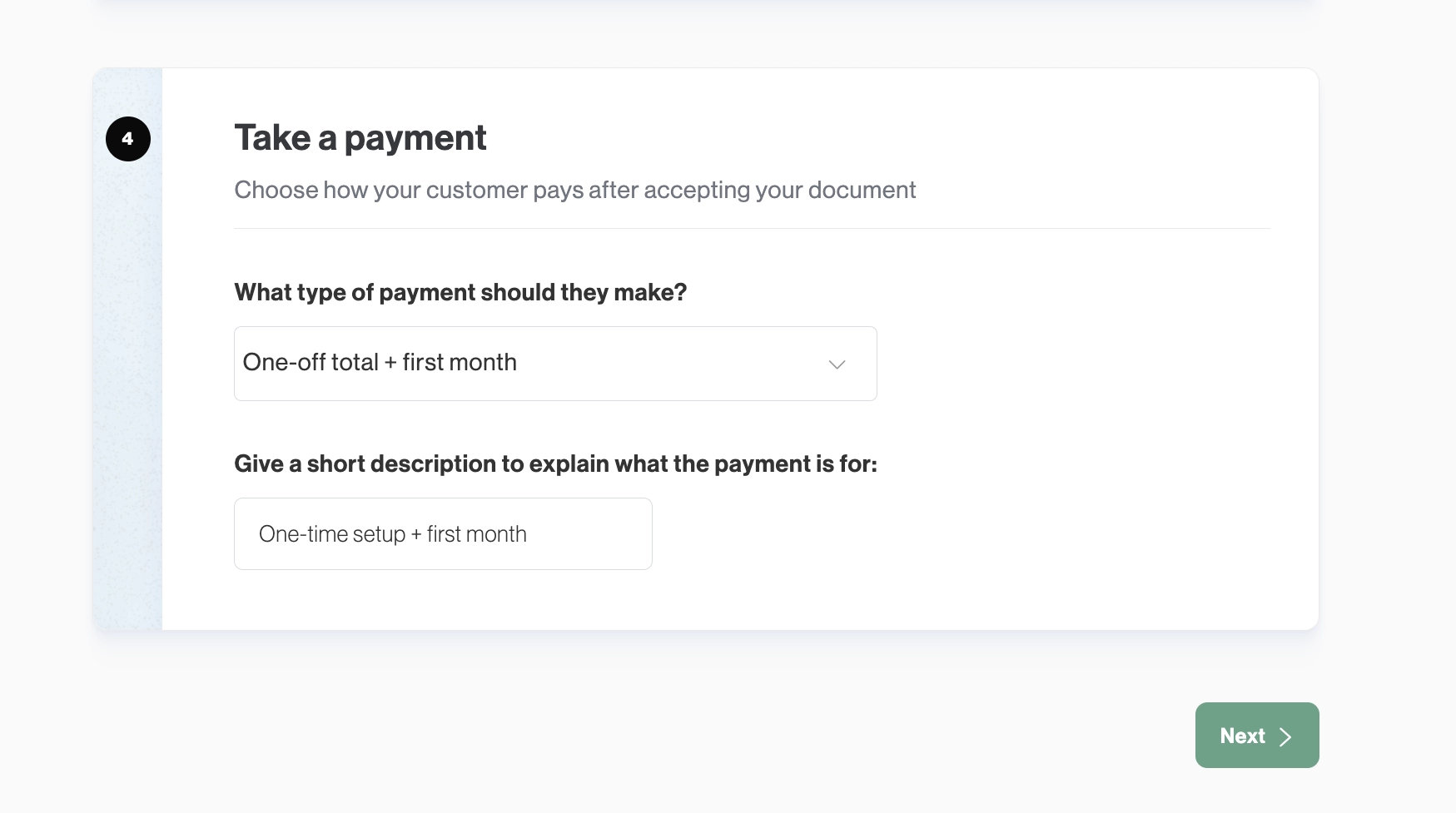
Say you run a marketing agency. Your proposal includes a $1,000 one-off campaign setup fee and $800 per month to manage the campaign. Setup and management both begin as soon as the client signs, so the setup fee and first month are due immediately: $1,800 at checkout.
That sounds simple, but the payment setup needs to understand that the pricing table contains two types of charges. If it collects only the one-off total, you’re still owed the $800. If it treats the whole $1,800 as a monthly charge, the client could be billed for the design work again next month.
Check whether the software can combine the one-off total and first monthly payment into the amount due now, then let you set up monthly payments from the signed proposal. You should also be able to choose when the next payment is due, so collecting the first month at signing doesn’t result in another charge immediately afterward.
Can the client skip the payment?
If you offer a lower rate for upfront payments as an option, skipping the payment step may be fine. But if work starts only after the deposit clears, your software needs to support that rule in the client flow.
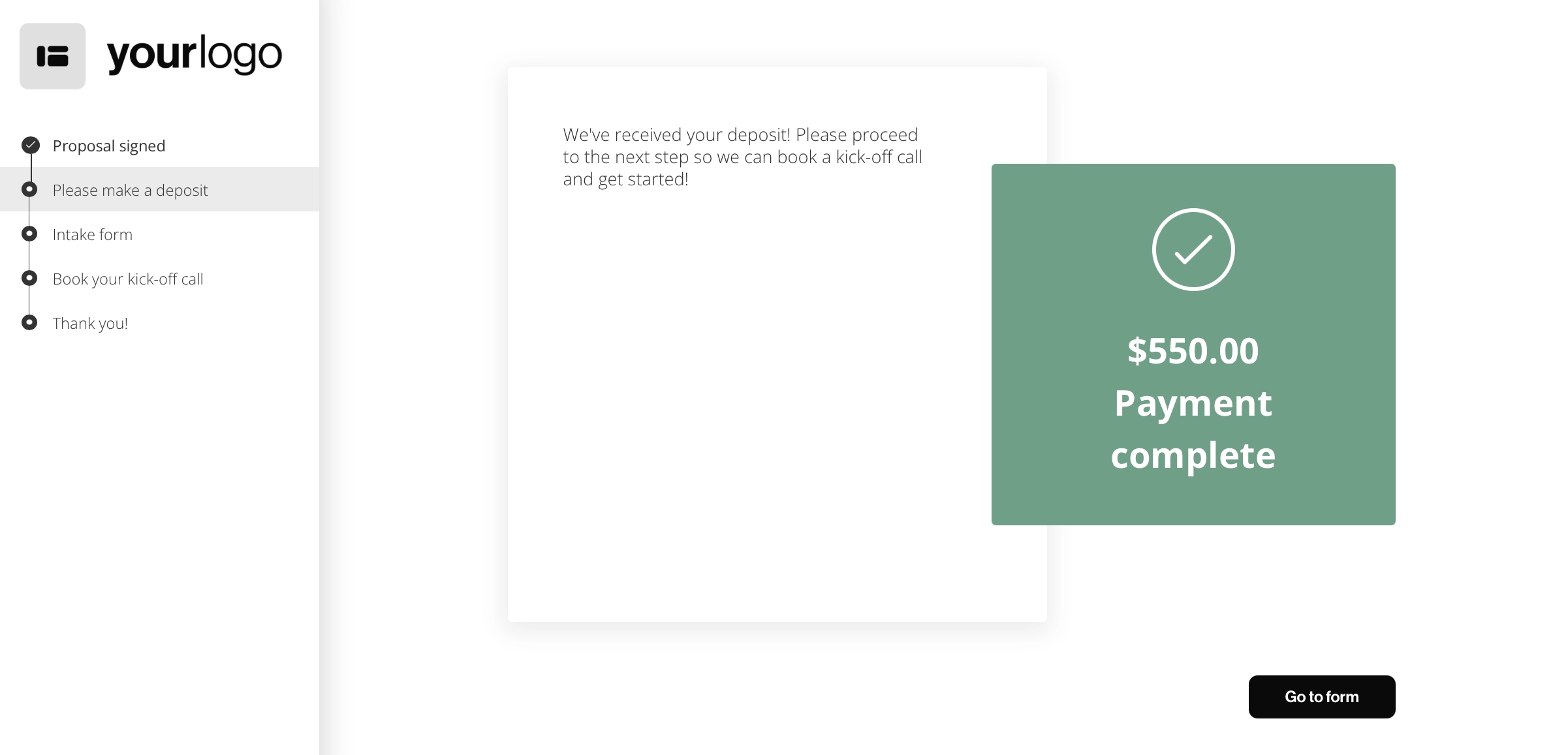
Better Proposals handles this by starting the onboarding flow when the client signs. You can make payment a required step, so they have to pay before moving on to the form, kickoff call booking, or whatever comes next. That way, the client can’t complete the rest of your onboarding while the deposit is still outstanding.
What will each payment cost you?
Payment fees can come from more than one place. Aside from your payment processor's transaction fees, check if there is a fee charged by the proposal software on top.
For example, Qwilr charges a 0.09% platform fee on their Starter plan on top of Stripe's processing fees. Bonsai also charges for payments, but the fee depends on which payment method you use.
With Bonsai Payments, it lists processing rates of 2.9% + $0.30 for most cards, 3.25% + 0.30 for Amex, and 1% for ACH ($1 minimum). The extra fee appears if you choose a different provider.
In countries where Bonsai Payments are available, using Stripe or PayPal adds a 1% Bonsai platform fee on top of the provider’s processing fee. For Amex payments through Stripe, that platform fee rises to 1.35%.
HubSpot is another example. Its current quotes tool is part of Revenue Hub Professional and Enterprise, so you need one of those plans to create quotes. If you then connect your own Stripe account to collect payments through them, HubSpot charges a 0.75% platform fee on each transaction, on top of the processing fee you pay Stripe.
These percentages are easy to overlook when you’re comparing subscription prices. Work out the cost using the payments you actually collect. If you take a $500 deposit and a $4,500 final payment, calculate both. If you collect $1,000 every month, calculate a year of payments. That will tell you what the software costs when clients pay you in addition to your regular subscription price.
What happens immediately after the client pays?
Getting paid may be the last step in a basic sale. For a service business, it's often the first step in delivery. You still need the client's assets, preferences, and a date for the kickoff call.
Imagine a web design proposal. Once the client signs and pays the deposit, you need their existing site details, brand files, and contact for approvals. If you email a questionnaire the next morning and a scheduling link the day after, the handoff still depends on you remembering each step.
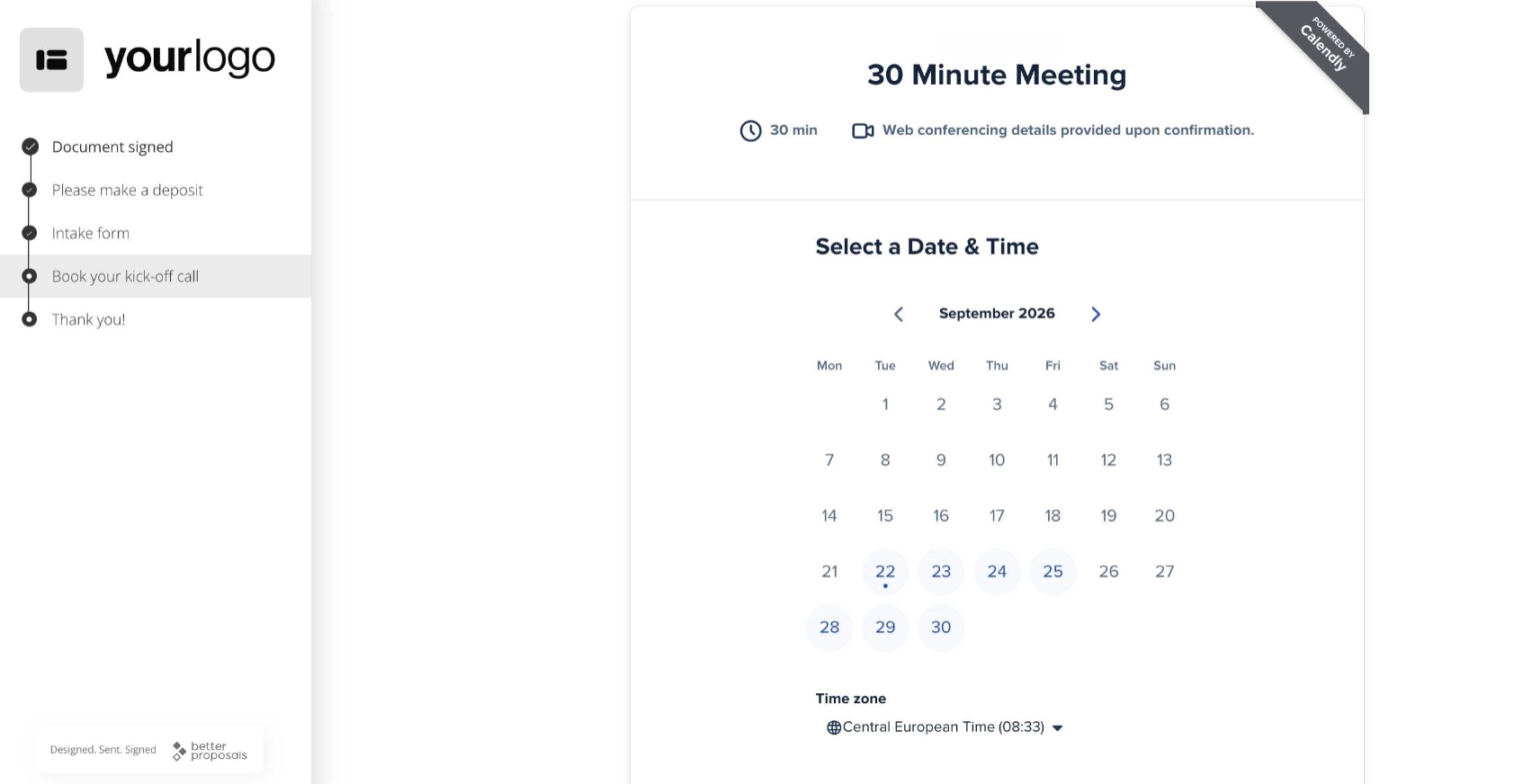
Look for a way to put these actions in order. Ideally, the client signs, pays, completes an intake form, and books a call in one guided sequence.
That sequence matters more than the number of integrations available. A calendar integration, a payment integration, and a form builder only save time when they work together in the order your business needs.
Better Proposals, for example, lets you add payment, form, and Calendly booking steps into custom onboarding flows.
Take the next step while the client is ready
Before choosing proposal software, send yourself a test proposal for something you actually sell. Select an add-on, sign it, and follow the payment and onboarding steps as a client would.
Then check what your team sees, how the next payment is set up, and whether the software takes a cut on top of your payment provider’s fees.
The right setup should charge the price the client accepted, show you whether they’ve paid, and help you get what you need to start work. Try Better Proposals free for 14 days and test the whole process on one of your own proposals.