Best Document Tracking Software: 5 Tools That Show What Happens After Send
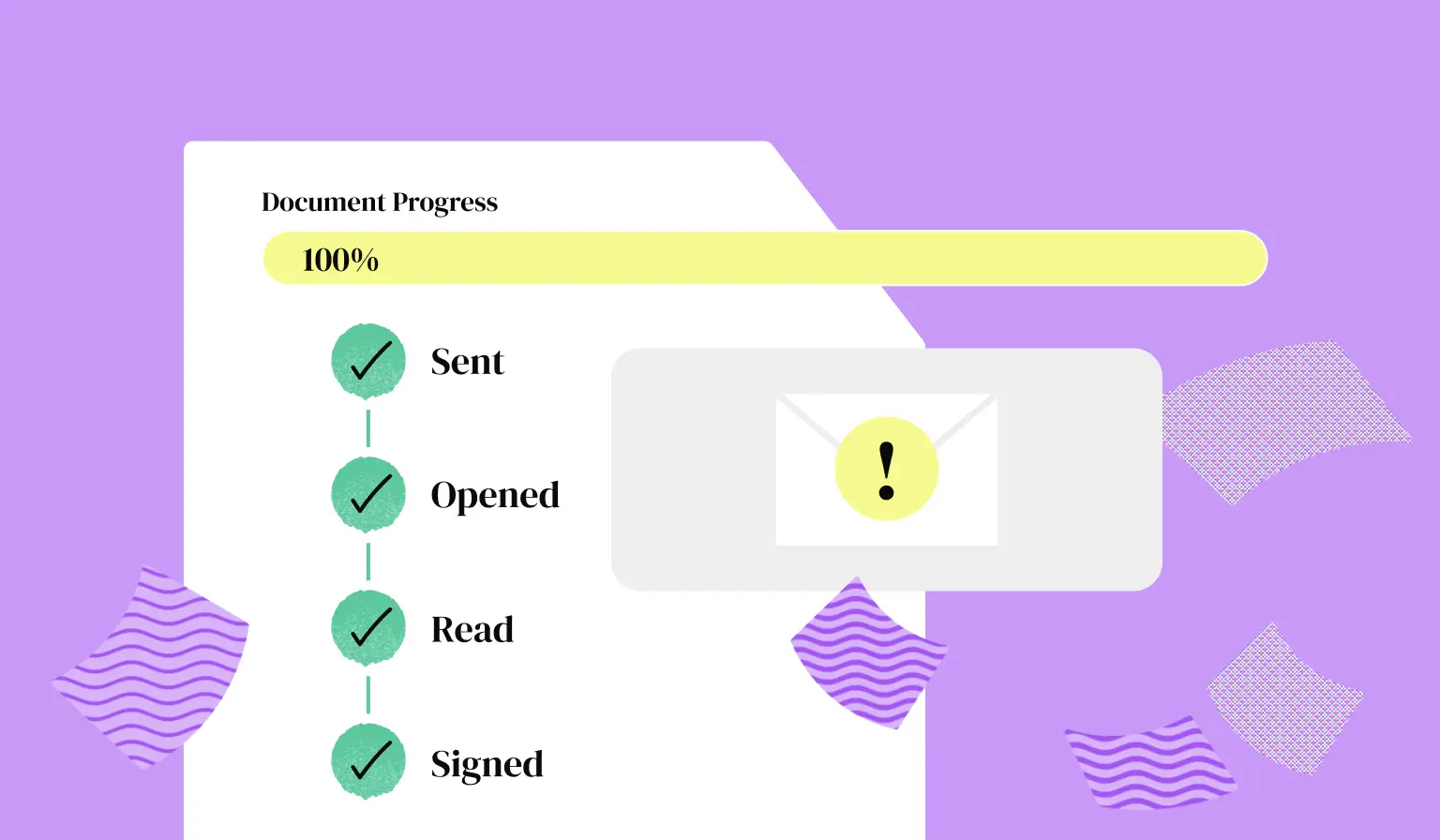
By the time you send a proposal, you've already put hours into the deal. Then, the most important part disappears from view.
An unopened proposal looks exactly the same as one being reviewed by three decision-makers. You can't tell whether the client is interested, stuck on the pricing, or hasn't seen the document at all.
Document tracking software gives you that missing context. But some tools simply track existing files, while others handle everything from creation to signature and payment.
We've compared five of the best to see what they track, who they're for and which software gives you information you can actually use.
1. Better Proposals: Best overall for proposals and client documents
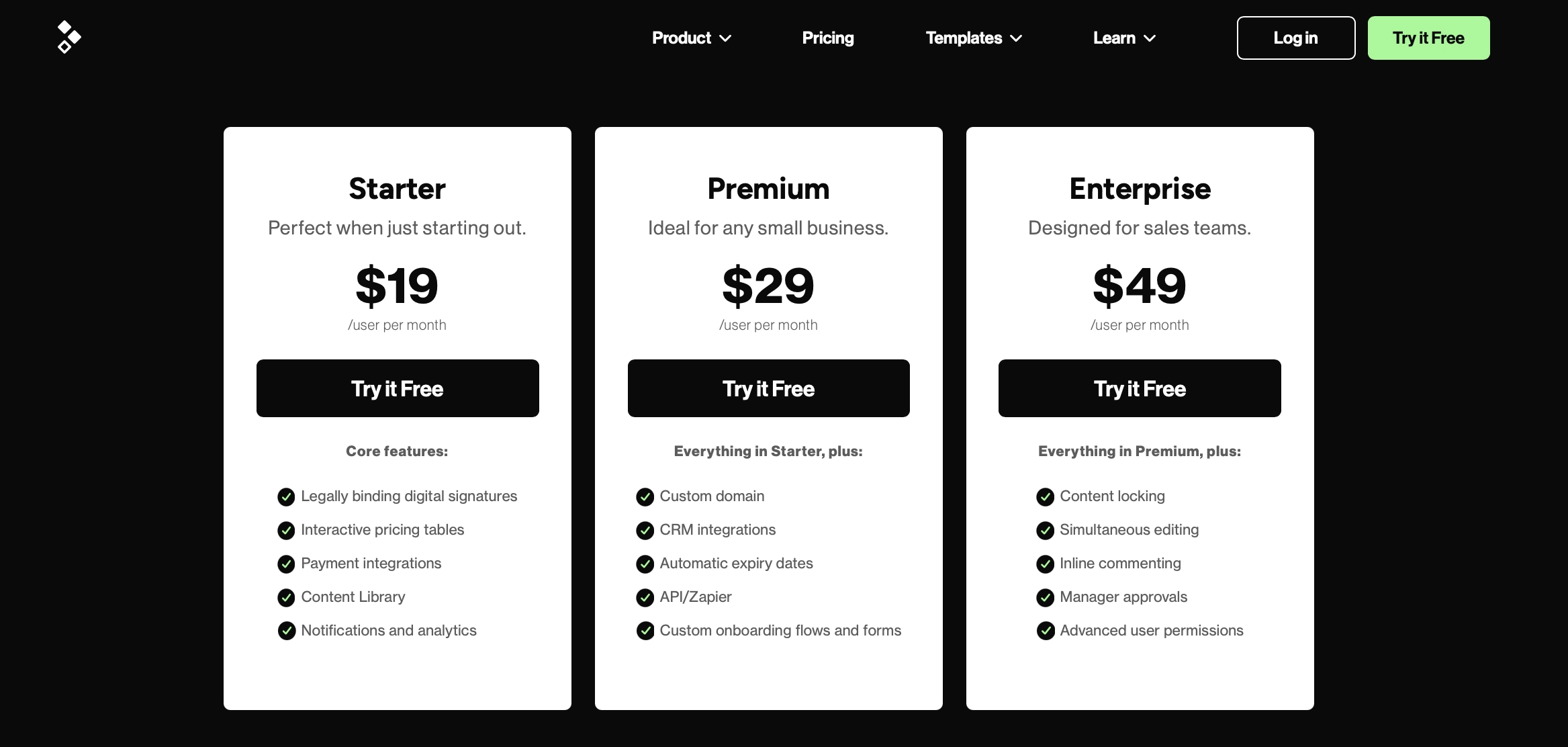
Better Proposals is our best overall choice for freelancers, agencies, and service businesses. It gives you the detail needed to understand what the client is doing without separating tracking from the rest of the sales process.
You create the proposal in the platform, send it as a responsive web-based document, and get notified when it's received, opened, read, forwarded, downloaded, and signed.
You can also see how long the client spent on individual sections. If they skim the introduction but keep returning to the pricing page, you know where your next conversation needs to start.
If the proposal is forwarded, another decision-maker has probably entered the picture. With Better Proposals, you'll know who and which parts of your document they've looked at.
The biggest advantage is what happens after you get that information. The proposal can already contain interactive pricing, digital signatures, and a payment option, so the client can choose, sign and pay without being sent elsewhere. You don't need one tool to track the document, another to collect the signature, and a third to get the deposit.
Best for: Businesses that want to create, track, sign, take payment, and onboard from the same client document.
2. PandaDoc: Best for complex sales document workflows
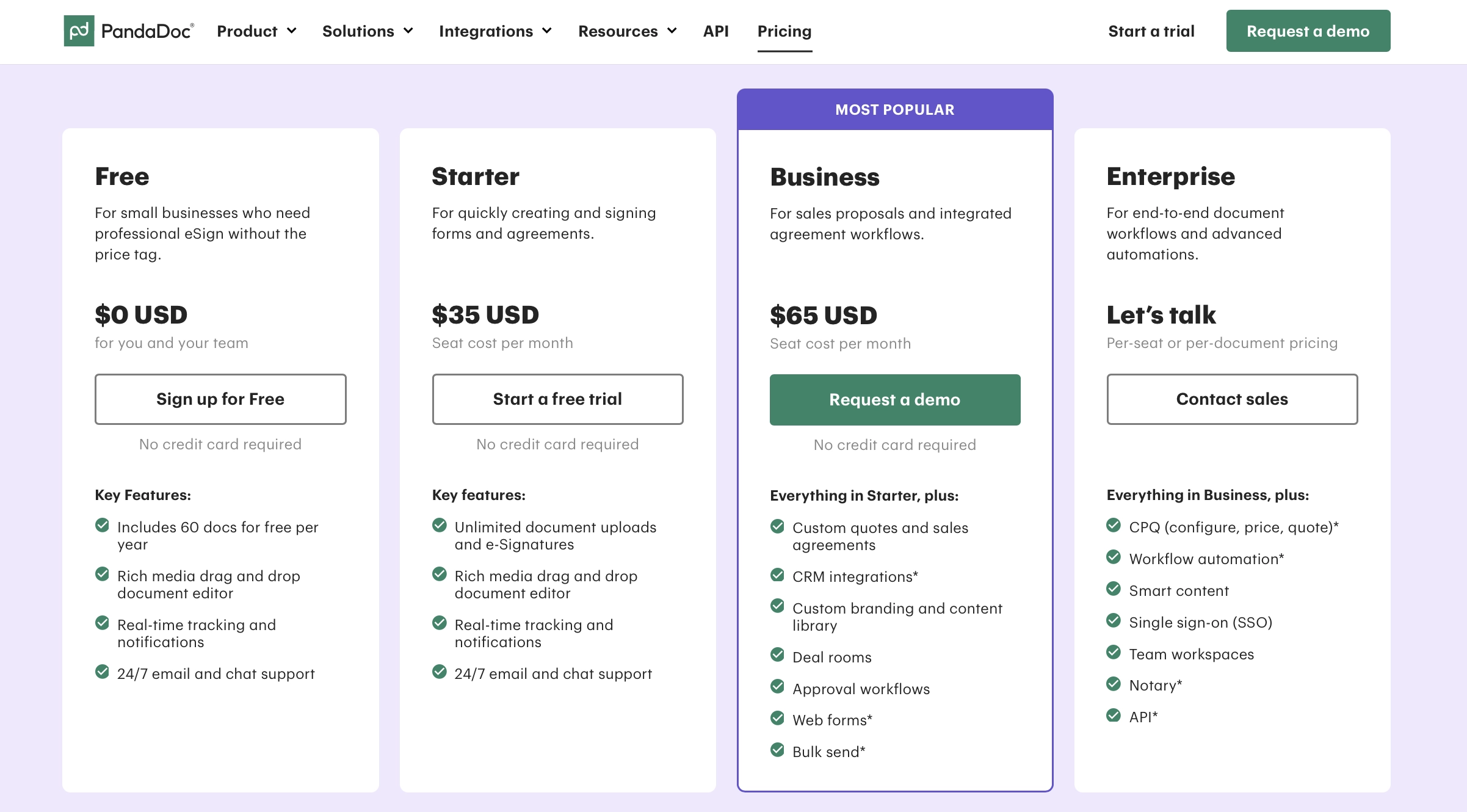
PandaDoc combines document creation, tracking, electronic signatures, and workflow automation. Its analytics show the number of opens, time spent on each page, who viewed the document and when.
Like Better Proposals, PandaDoc can handle different document types, internal approvals, and CRM connections. The difference isn't whether those features exist. It's how much configuration you want around them.
PandaDoc is geared towards larger sales teams that want to build more layers into the document process. That can be useful when several departments need their own rules, permissions, and approval steps, but it also makes the platform more complex. If you send a modest number of straightforward proposals, you may be paying for and working around more system than you need.
Best for: Large sales teams with multi-step document workflows and complex CRM requirements.
3. DocSend: Best for tracking PDFs and existing sales materials
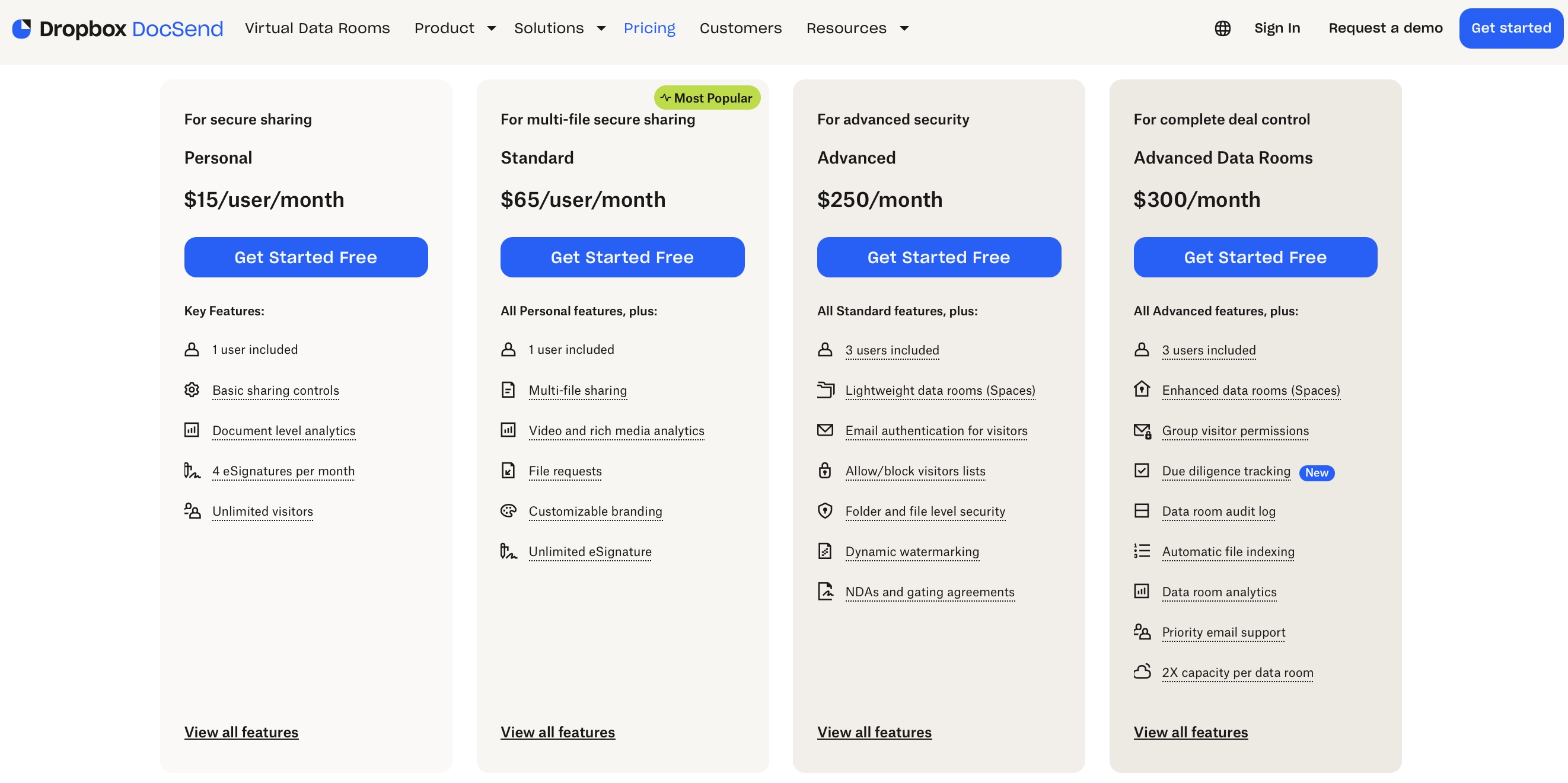
DocSend takes a different approach from proposal software. Instead of building the entire proposal inside the platform, you upload an existing file and share it through a trackable link.
That makes it one of the strongest tracking services for businesses that already create their documents elsewhere.
DocSend provides page-by-page analytics, including how long visitors spent on each page, completion rates, and the performance of different document versions. It can also show visitor details when identity controls are enabled.
That said, for a standard service proposal, tracking may be only one part of what you need. Creating the proposal, building an interactive quote, collecting a signature, and taking payment will still require other software.
Best for: Businesses that need to track documents created in PowerPoint, Word, Google Docs or design software.
4. Qwilr: Polished web pages with a tracking trade-off
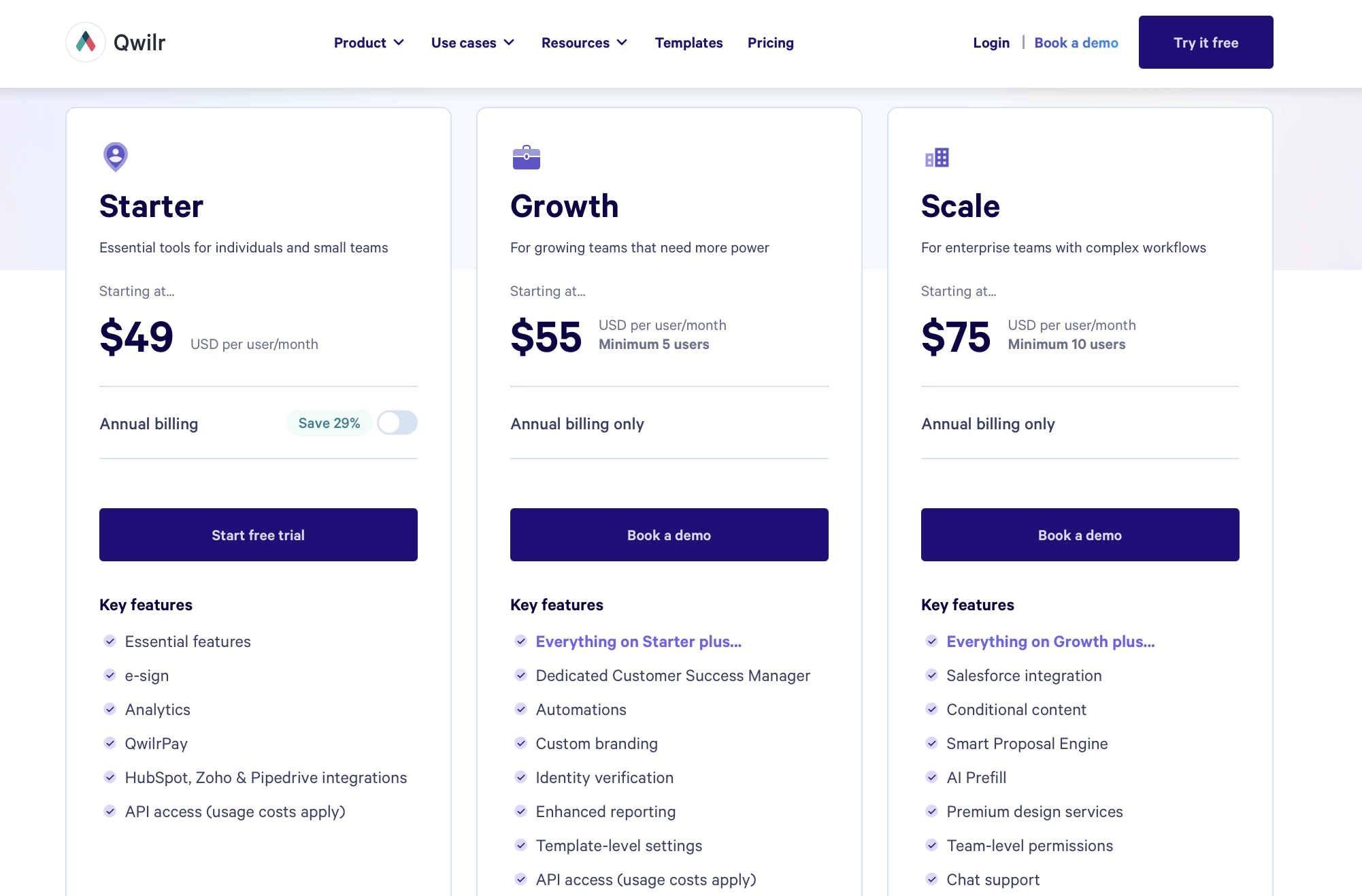
Qwilr creates web-based sales documents with interactive pricing, videos, and embedded content. Its analytics show how clients engage with the page, including what they view and click.
That said, the website-style format isn't a Qwilr advantage on its own. Better Proposals also sends proposals as responsive web pages and combines them with interactive pricing, signatures, and payments.
The more important difference between the two is how the links work. Qwilr doesn't automatically generate a unique document link for each client in the way Better Proposals does.
If the link gets forwarded, the activity still comes through the same shared link. That makes it harder to tell whether your original contact returned to the proposal or somebody else opened it.
Qwilr does offer Identity Verification as a built-in security feature on its Growth ($55/user/month) and Scale ($75/user/month) plans. Once enabled, viewers have to enter and verify their email address before they can open the proposal.
That helps identify who's reading, but it does so by giving the client an extra job. Since the link itself isn't unique to the recipient, the viewer has to tell Qwilr who they are before they're allowed into the document. For an everyday proposal, it's another step between the client and the information you want them to read.
Best for: Teams that like Qwilr’s page builder and don’t mind adding an identity verification step when recipient-level tracking matters.
5. Proposify: Best for standardizing traditional proposals
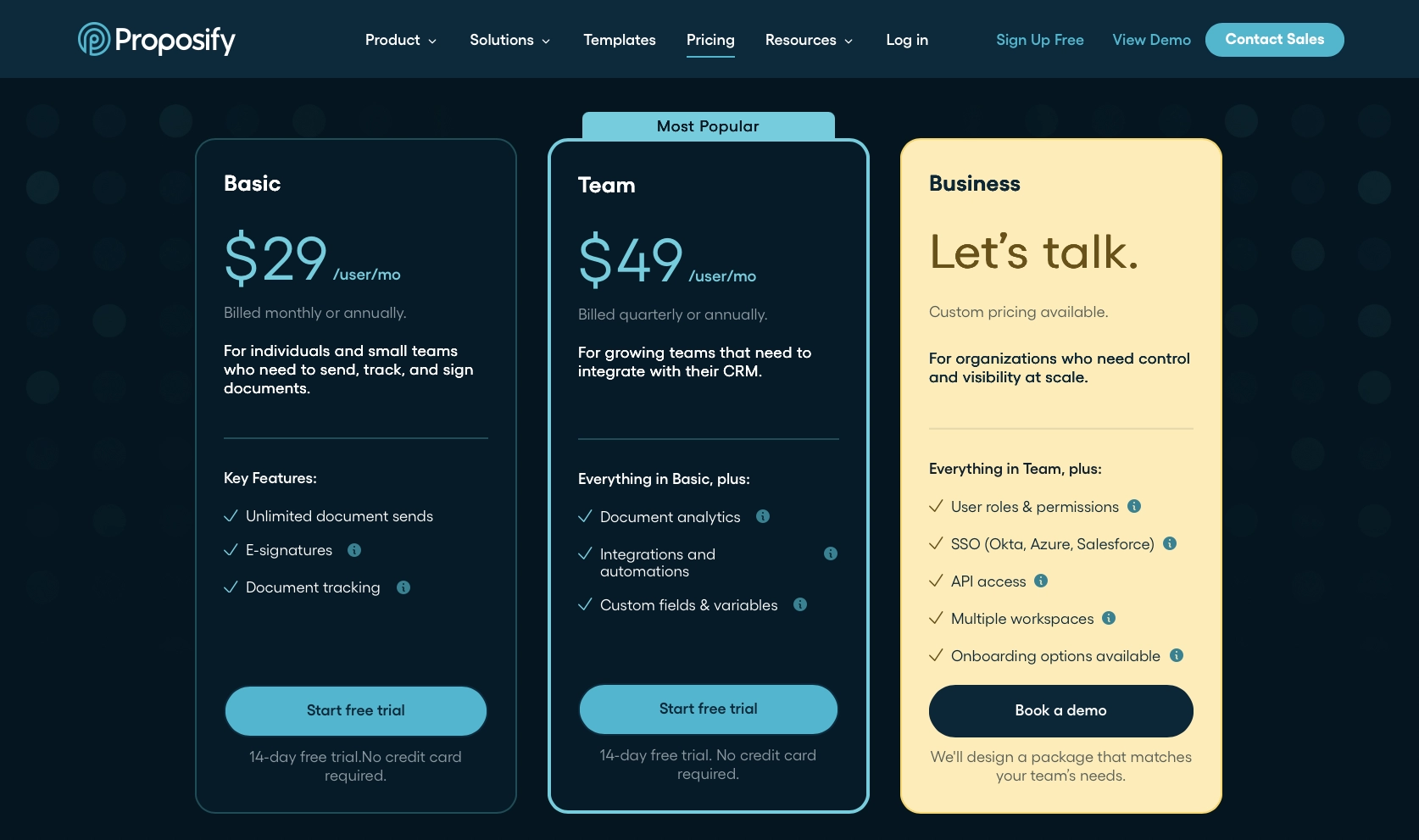
Proposify lets teams create, approve, send and track proposals. Its analytics show when clients open a proposal, what they read, and how long they spend on different sections.
The problem is the document itself. Proposify uses a traditional A4 page format, so creating a proposal feels a lot like working in Word. You're still dealing with fixed pages, fitting content into boxes, and thinking about where one page ends and the next begins.
That's a strange compromise for specialist proposal software. You get an online editor, but the finished document still carries many of the limitations of something designed to be printed. It doesn't make full use of the web in the way a responsive, website-style proposal does.
And if you actively want an A4 document, you have other options. You can create it in Word, Google Docs, Canva or whatever tool your team already knows. Then, use DocSend to share it and collect detailed page-by-page analytics. At that point, Proposify adds another editor without fundamentally changing the client experience.
Proposify's approval controls and content management may still suit larger sales teams that want everything stored in one platform. But if the goal is simply to create a traditional document and find out whether the client read it? Building the document in Proposify starts making a lot less sense.
Best for: Teams committed to traditional page-based proposals that also want consistency between documents.
What to look for in document tracking software
Every document tracking platform promises insights. The important question is whether those insights help you decide what to do next.
Knowing that somebody opened a proposal is better than knowing nothing. But it doesn't tell you whether they read it, what caught their attention, or if anyone else is now involved.
Here's what to look for if you want tracking that actually helps move deals forward.
1. Recipient identification
Can the software tell you which person viewed the document, or only that someone with the link opened it?
This becomes important as soon as a proposal is forwarded. A sudden burst of anonymous views may suggest wider interest, but it doesn't tell you anything about the new reader.
Look at how identity is captured and what the viewer needs to do. Requiring an email address before viewing gives you more data, but it also adds friction before the document is even opened.
2. Section or page-level attention
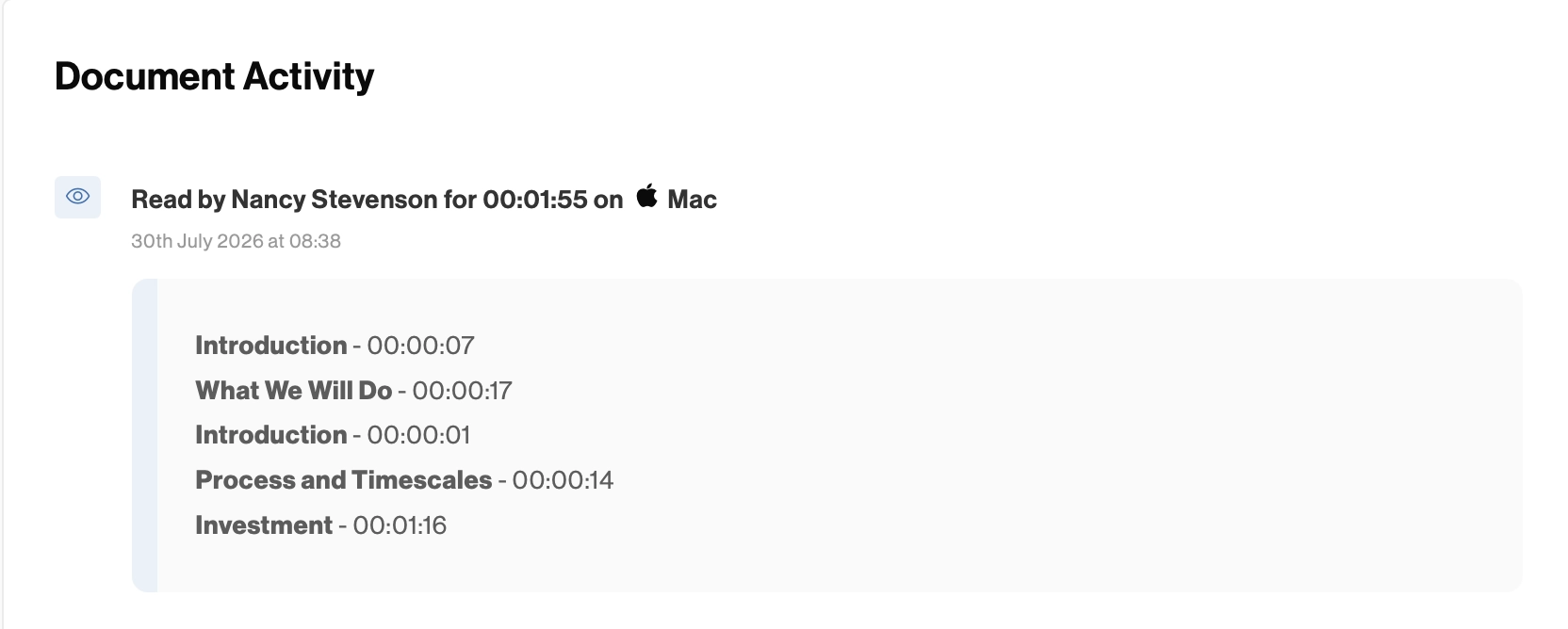
An overall viewing time isn't always useful. Ten minutes could mean anything from the client carefully reading the proposal, leaving the tab open while making coffee, to getting stuck trying to understand one confusing pricing table.
Page- or section-level analytics provide more context. They help you see which parts attract attention, which get skipped, and what your clients keep coming back to.
3. Repeat views and forwarding
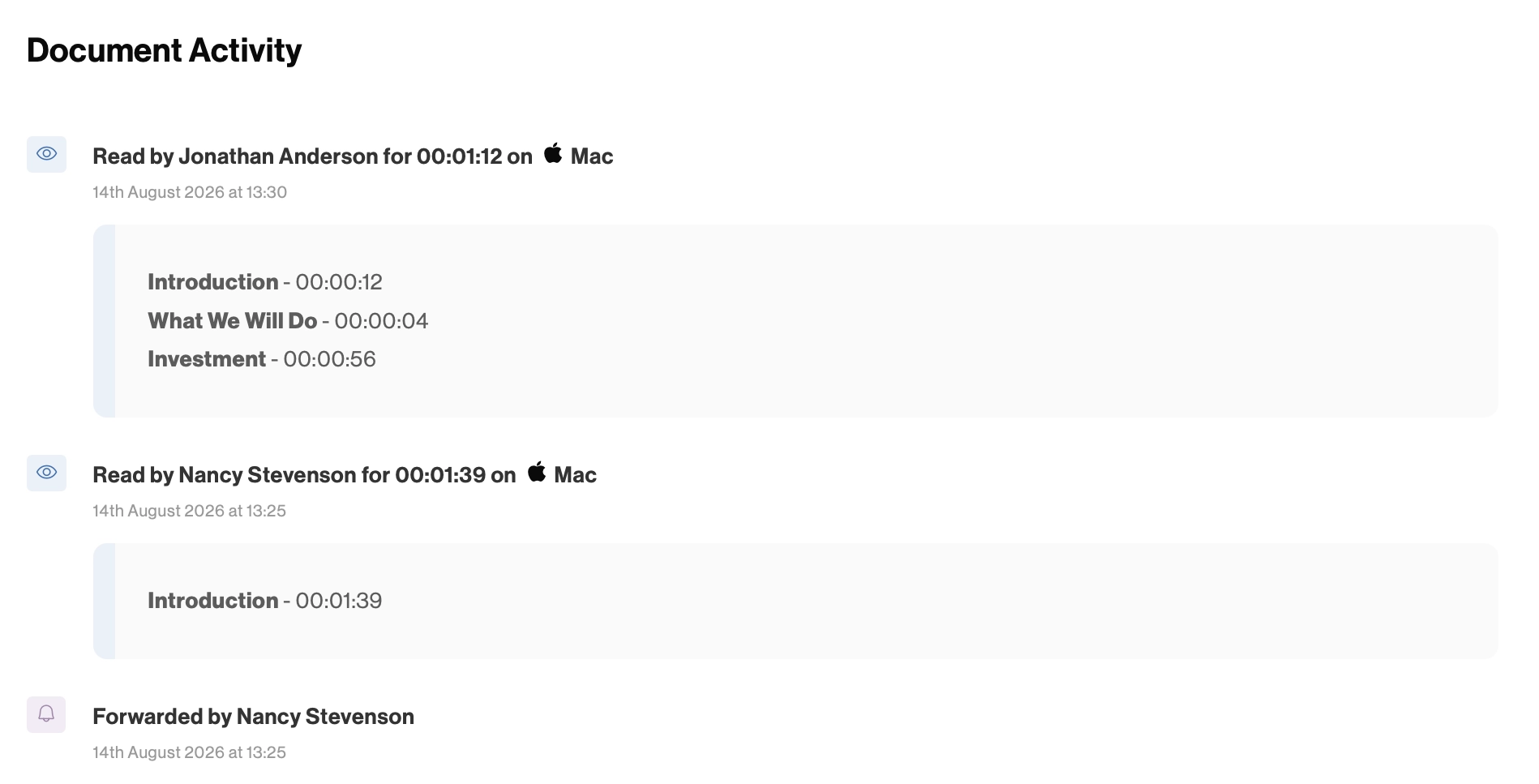
Repeat activity is often more interesting than the first open. Someone returning to the scope, timeline or pricing after two days may be comparing options or preparing questions.
Forwarding and new viewer signals can also indicate that the proposal has moved beyond your original contact. In larger deals, that's often a sign of progress.
4. What happens around the tracking
Once the client has read the document, can they ask a question, choose an option, approve the proposal, sign it, and pay?
If the tracking software gives you excellent analytics but the client still has to print a PDF, scan a signature, and wait for an invoice, it has only improved the observation part of the process.
5. What happens after the signature
For the client, signing the document is just the beginning of another process. Your document tracking software should make it easy for them to move from saying yes to getting started.
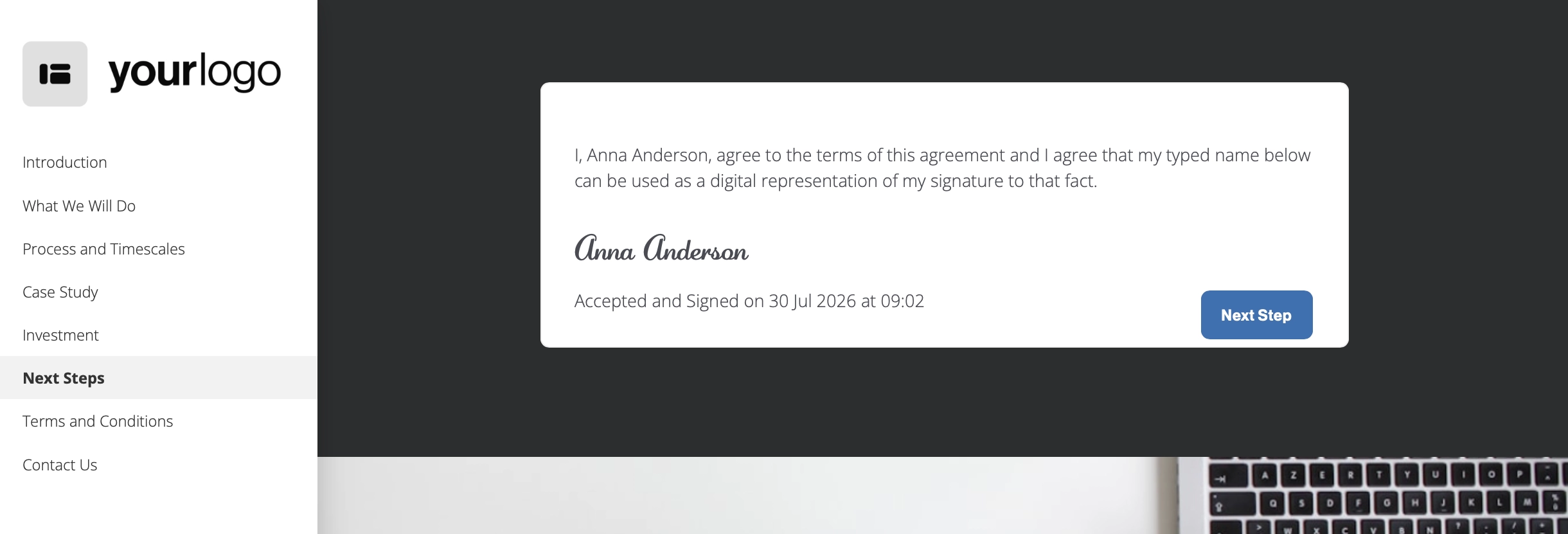
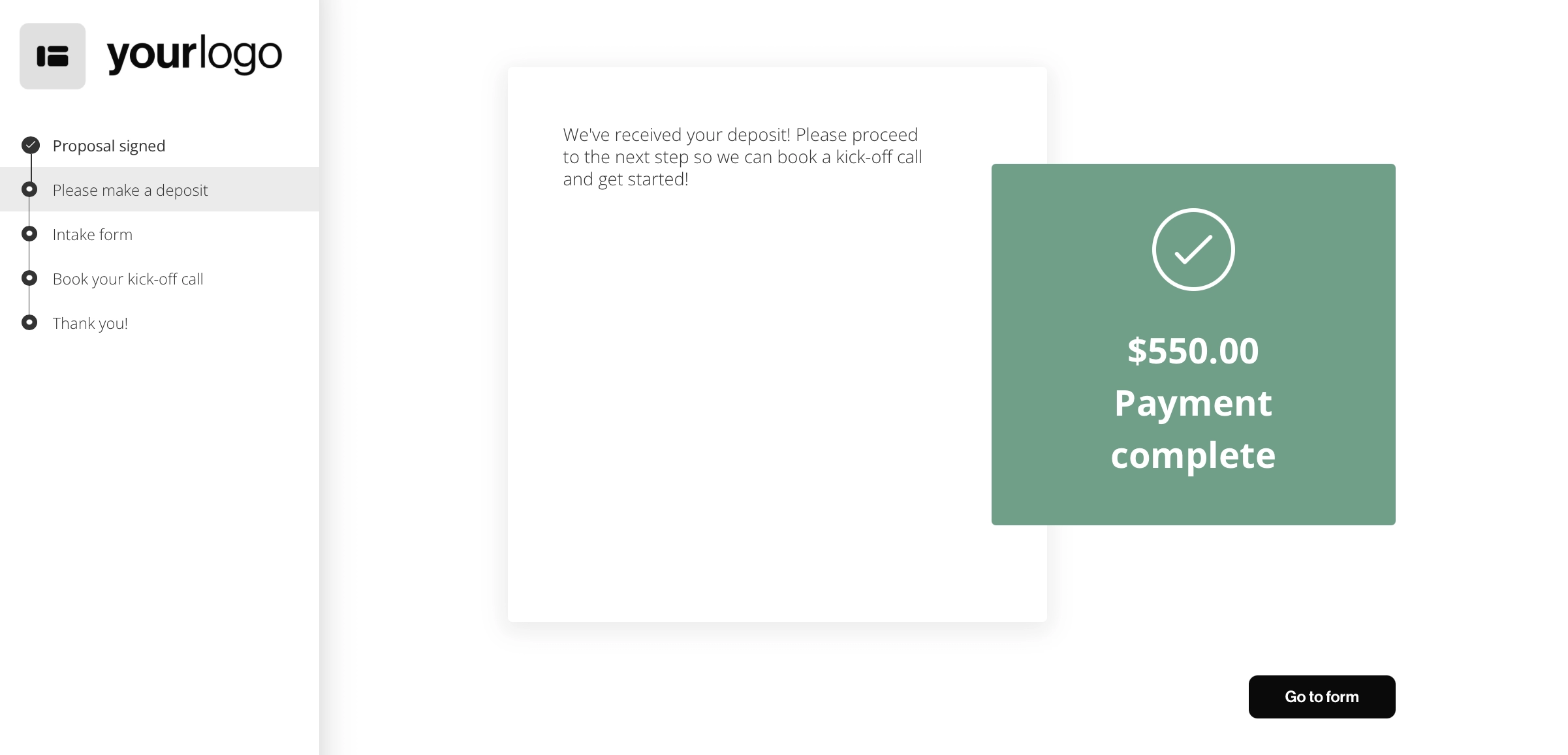
With Better Proposals, you can start an onboarding flow as soon as the document is signed. You can collect information through forms, explain what happens next, let the client book a call, or redirect them to another page.
Instead of celebrating the signature and immediately sending five more emails, you move the client straight into a clear next step while they're still engaged.
6. Privacy, access, and security
Tracking client behavior needs to be handled responsibly. Check what information the platform collects, how documents are protected, and whether you can control downloads, link expiry, passwords, and access.
7. Follow-ups connected to the tracking
Tracking tells you a proposal needs attention. It shouldn't then leave you to set a calendar reminder and hope you remember what the client was looking at.
At a minimum, the software should send useful notifications when something important happens. Better still, it should help you manage the follow-up itself.
For example, Better Proposals has Nudge, which lets you set follow-up reminders and campaigns for sent documents. The analytics tell you what the client has done, while Nudge helps keep track of which proposals still need attention.
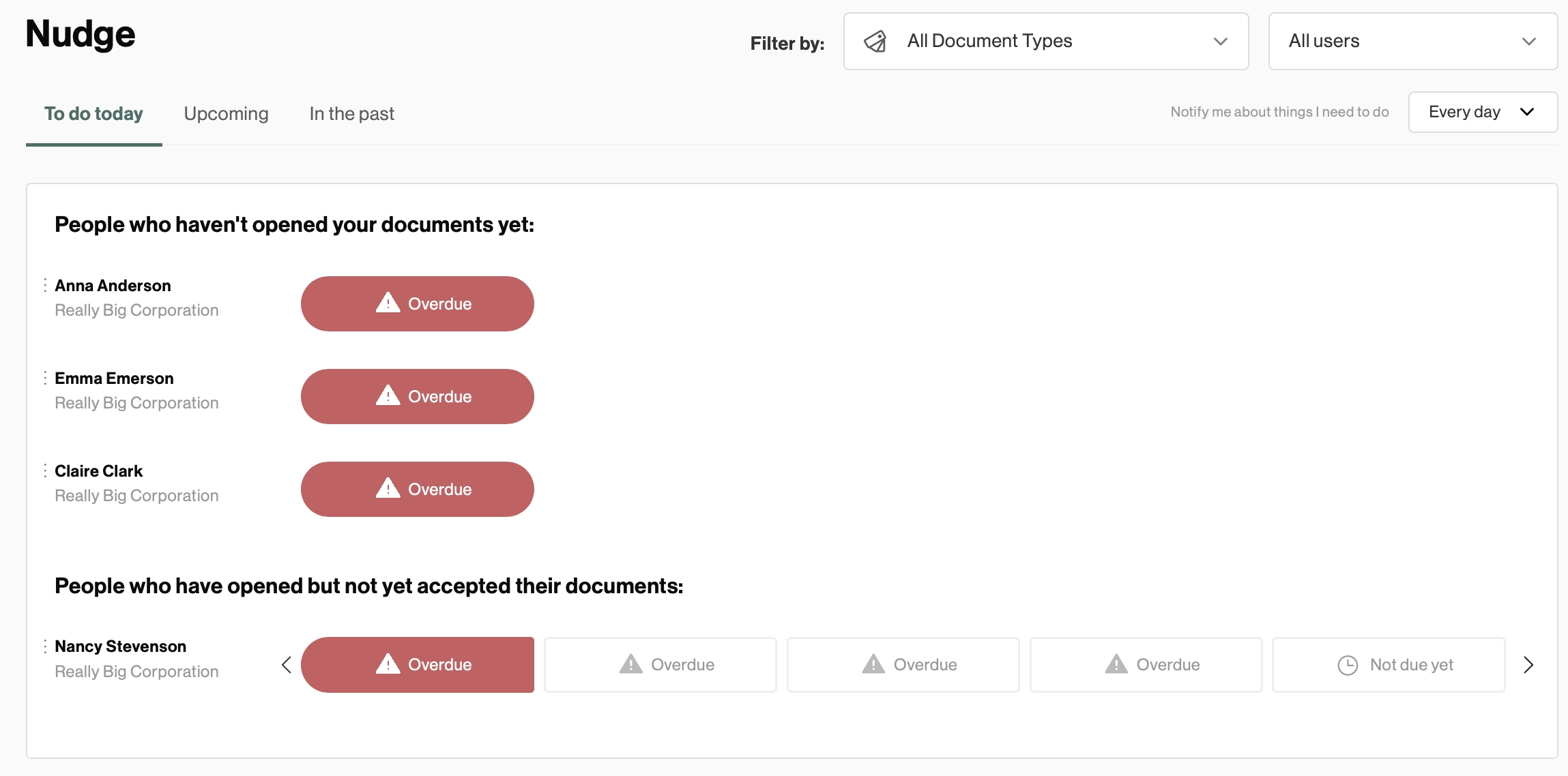
The goal isn't to bombard every client with automatic emails. It's to stop promising yourself you'll follow up on Thursday, getting distracted, and remembering the proposal two weeks later.
8. What does the client experience look like?
The analytics dashboard isn't the only interface that matters. Your client has to open and use the document.
Check how proposals look on desktop and mobile and how many steps stand between the email and the document. Pay attention to logins, verification screens, downloads, and anything else the client has to deal with before they can start reading.
A tracking feature that gives you slightly more data but makes the proposal more annoying to open isn't much of an upgrade.
A good document tracking solution platform will make the process easier for both sides. You get enough information to know where the deal is going. The client gets a simple route from opening the proposal to signing, paying, and getting started.
Opened doesn't mean closed
The point of document tracking isn't to collect proof that someone looked at your proposal. It's to stop guessing about where the deal is headed.
The data you collect should help you time a follow-up, spot what may be holding up the decision, or see that another person has joined the conversation.
So, when comparing platforms, don't choose based on who gives you the longest list of analytics. Look at whether the information is reliable, how much friction it creates for the client, and whether the software supports more than just the tracking.