How to Switch Proposal Software Without Rebuilding Everything
You’ve found proposal software you want to switch to. Maybe it’s easier to work with, gives you more for your money, or handles something your current tool makes unnecessarily difficult.
Good news is, switching tools doesn't mean starting from scratch. Much of your content can come with you. Some settings will need recreating, and some records will need archiving, but you can handle those in stages while your team keeps working.
Here’s how to do that.
1. Do some inventory first
Before you move anything, take a look at your current templates, reusable content, branding, pricing, and integrations.
Focus on what your team has used recently. If you have 30 templates but regularly use six, those six should be your starting point. The same goes for any saved content - there’s no reason to move an outdated service description just because it’s sitting in your library.
Give each existing item one of four statuses:
- Move: It’s current, useful, and ready to reuse.
- Update: You still need it, but the content or setup needs changing.
- Archive: You need to keep a record, but don’t need it in your everyday workflow.
- Leave behind: It’s outdated, duplicated, or no longer relevant.
At this stage, it's a good time to check your existing subscription’s renewal date and cancellation process, too. That gives you a deadline to plan around before you start transferring content.
2. Start with that one template you know well
When you start transferring content, your most-used template is a good place to start. Use it to work out how your content, pricing, and signing steps fit together in the new software.
Check whether the software offers an import option or help transferring templates. If it does, find out what that includes.
If you’re transferring content manually, work section by section. Check headings, links, images, and formatting as you go. Replace old client details with the new tool’s variables so old data doesn't accidentally appear in your next proposal.
Pay extra attention to pricing. Recreate your packages and optional extras, then check quantities, discounts, taxes, currencies, and recurring charges where you use them.
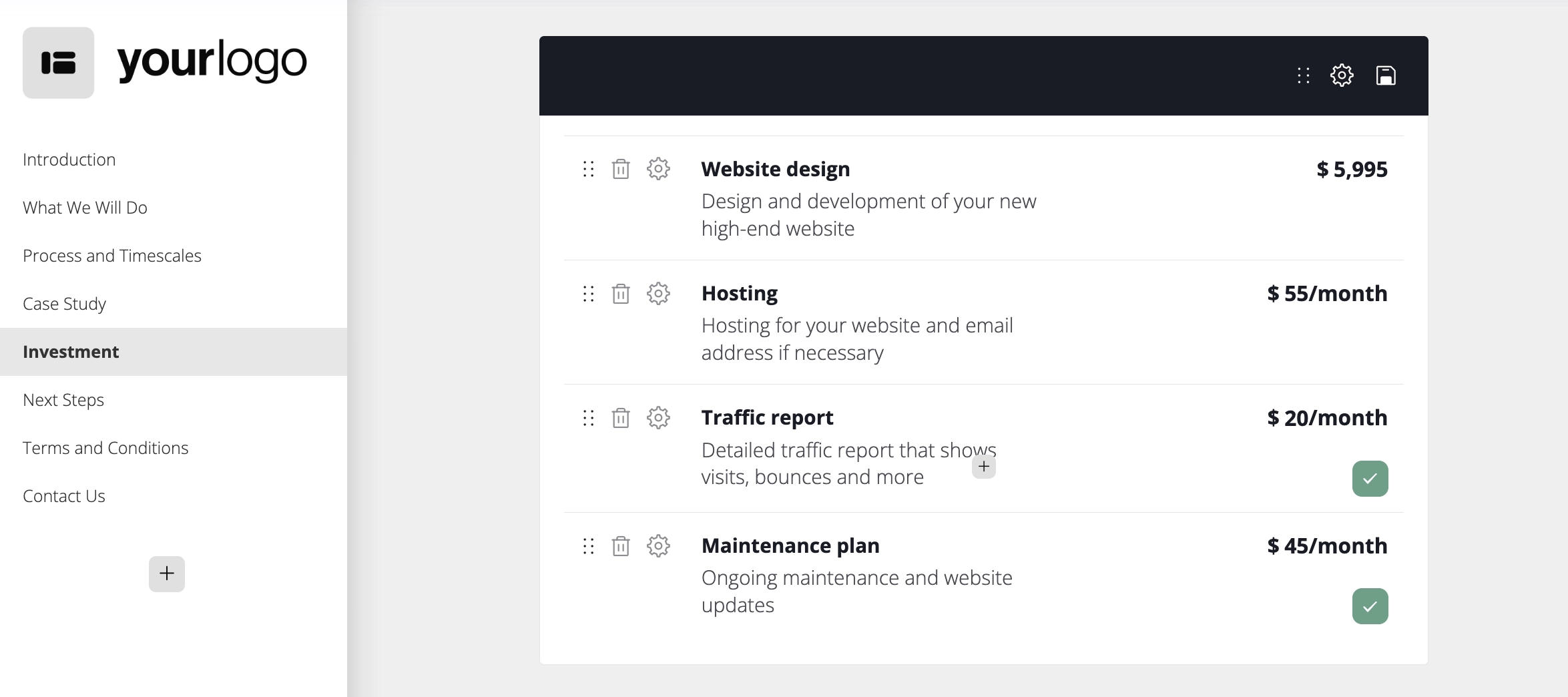
Once you’re happy with that first template, you have a starting point for the others. You won’t need to figure out the same layout and settings every time.
3. Give your content library a clear-out as you go
When switching to new software, bring over only the sections people actually reuse. Think service descriptions, case studies, testimonials, team bios, images, and standard terms. If your new software supports it, bring over your products and services as well to make pricing easier to set up.
Review your reusable sections before adding them to the new software and update them if needed. Then, give each item a name that tells people what it's about.
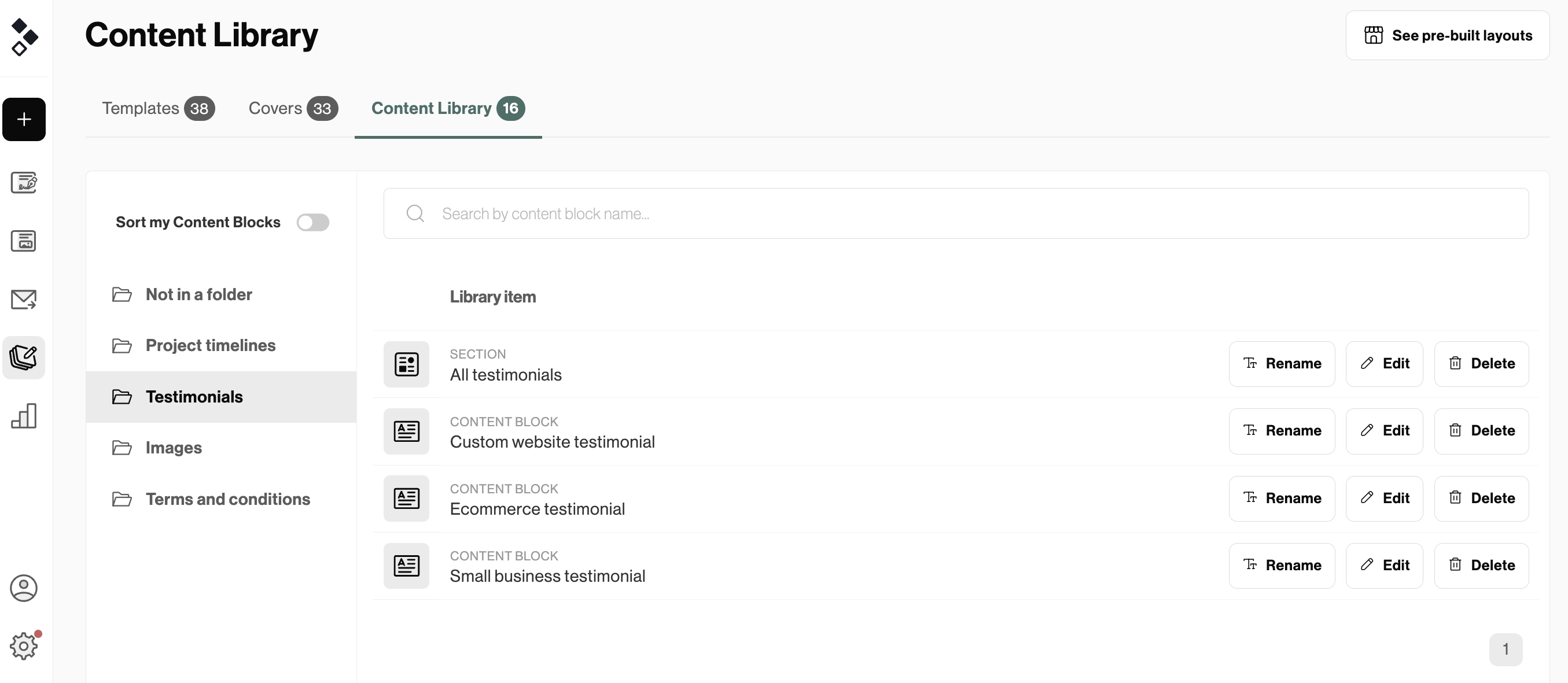
“Website maintenance - monthly package” tells you what you’re opening. “Services final updated 2” tells you someone's had a challenging afternoon.
Keep in mind that you don’t have to organize your entire library in advance. Start with the content you need for your core templates. You can add less frequently used materials as you go.
4. Take advantage of global settings
Your logo is only one part of setting up your branding. Clients can also see the sending email, your document links, and messages that appear during and after signing.
Review the global settings your new tool offers, especially:
- Logos, colors, and fonts: Can you set them up once and have them apply to all your documents?
- Emails: Which email address will your proposals come from? If a client replies, will their message reach the right person?
- Custom domains: Can you send proposals through your own domain and what does the setup look like?
- Separate brands: Can you save different sets of settings for each one and easily choose the right brand when creating a proposal?
Once you have it all set up, send a test proposal to yourself. Open it on a phone and a computer, click through it, and complete the signing process. This lets you see what the client sees, including anything you might have missed inside the editor.
5. Resist the urge to bring everything across
Not all your data needs to move into the new proposal software. Old documents and reports just need to be saved somewhere you can find them later.
Check what your current tool lets you export. For example, downloading a proposal doesn’t necessarily give you its viewing history or the data you see in your dashboard.
Once you’ve exported everything from your old tool, open the files. Check that they contain what you expected and that you can tell which client and project each one belongs to. You don’t want to find out something’s missing after your old login stops working.
When it comes to signed documents, save a copy and any available audit trail or completion certificate. Keep those files together so you can find the supporting record when you find the document. Naming them by client, project, and completion date can save you a lot of searching later.
6. Let open proposals finish where it makes sense
If a client is reviewing a proposal, they don’t necessarily need a new link just because you’ve decided to switch software. Often, the easiest approach is to let open proposals finish in the old tool and start new ones in the new tool.
For drafts you haven’t sent yet, there’s no client experience to worry about. You can recreate them in the new software before sending.
For a proposal that needs major changes anyway, decide whether it makes more sense to update it where it is or send a replacement. If you do send a replacement, disable or withdraw the old one.
Keep a simple list of what’s still open, who’s handling it, and where it will be completed. That way, your team won’t have to guess which account to check.
7. Getting your team on board
Before everyone starts using the new software, ask a few people to try it out with proposals they’d normally send. A template might look ready, but creating a proposal from it will show you whether the rest of the setup works.
If your team works from a CRM, start the test there, too. Does the right client information come through? Is the proposal attached to the correct deal? Does sending or signing it trigger any updates?
Check approvals, reminders, and automations as well. This is your chance to catch missing content or settings that don’t behave quite as expected.
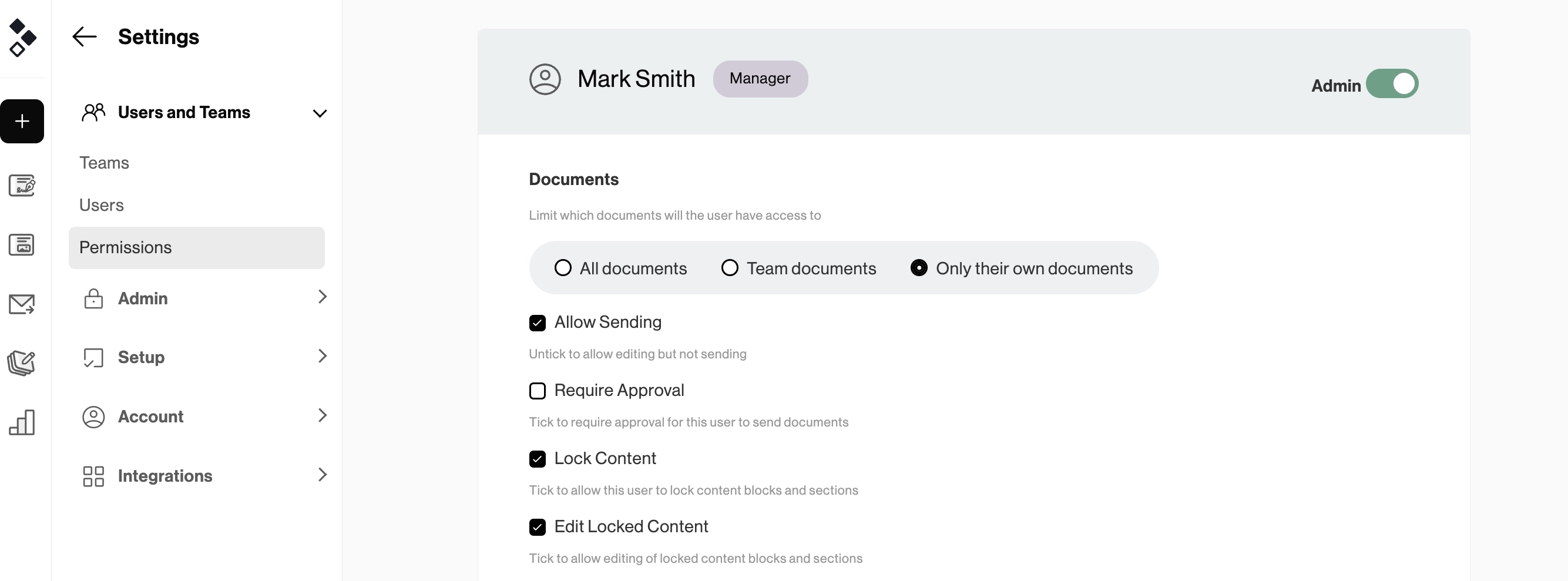
Next, check that everyone has the access they need. A team member might need to create and send proposals without being able to see every document in the account.
Once you’ve worked through those steps, put together a short guide for the rest of the team. Keep it focused on their everyday tasks: finding a template, customizing the content, checking pricing, getting approval, and sending. Let them know who to ask for help and what to do with proposals still in the old system.
Then, agree on a cut-off date for your old tool. Outstanding documents can finish according to your migration plan, but everyone should know where to go when it’s time to create the next one.
Your existing setup is a head start
You’ve already written the content, worked out your pricing, and built proposals your team knows how to use. You can bring that work with you while leaving behind outdated templates and workarounds you no longer need.
Start with one familiar template and get it working from creation to signing. Once that’s ready, moving the rest becomes much easier to manage.