A Great Proposal Can't Fix a Broken Process. That's Your Job.
You could order dinner, book a holiday, and apply for a mortgage from your phone in less time than it takes you to hire someone to redo your website.
That's the problem most service businesses have - they're surprisingly difficult to buy from.
Strange when you think about how much time they spend trying to sell. They'll obsess over the proposal. Rewrite the opening, refine the pricing, add another testimonial, polish the design.
But the moment a client says "yes", the thinking stops.
The proposal gets all the attention. The buying experience gets whatever's left, and that's usually a process stitched together from years of making it up as you go along.
There's a name for fixing that: document workflow automation.
What we'll cover:
- What document workflow automation does
- How to know if you need document workflow automation
- How to build a document automation workflow
Putting documents online isn't workflow automation
A PDF proposal, an invoice sent by email, and an online onboarding form might all be digital.
But if someone still has to copy the client's details, check whether each document has been completed, and tell another person when it's their turn, the process is still manual. It just happens on a screen.
Real document workflow automation means what happens in a document determines what happens next.
The client receives a proposal containing the service, price, and any extras they can select themselves. When they sign, the deposit request is automatically shown.
Once the deposit is paid, the client receives the right onboarding flow for the service they chose.
How do you know if you need document workflow automation?
Test 1: If Sarah takes a week off, does the process still work?
Every service business has a Sarah. Sarah knows which contract to send, who needs to approve it, when to send the invoice, and which onboarding form goes with each service.
None of this is written down because Sarah remembers it. Then Sarah takes a week off and the new client sits there until she's back.
If your process works only because one organized person keeps it moving, the process isn't working. You just have a person compensating for it.
Test 2: Welcome aboard! Here's a pile of admin.
The client accepts the proposal. You email them a contract. They download it, sign it, and send it back.
Then they wait for an invoice. It arrives from someone they've never spoken to, including the wrong total because the selected extras didn't make it across.
They contact you, you contact finance, finance issues a corrected invoice, and the client finally pays the deposit. Because your systems don't talk to each other, they also need to send you proof of payment.
Then another person appears with an onboarding form asking for their company name, contact details, project requirements, and goals. All the things they already told you during your discovery call.
At this point, the client is doing more process management than the business they hired. Your internal process has become their problem, and no amount of proposal polish can hide that.
How to build a document automation workflow
A good document automation workflow doesn't start after the proposal is signed. It starts when the proposal is created and continues until the client has paid, provided everything you need, and knows what happens next.
Here's what that looks like from beginning to end.
1. Use the information you already have
Most of the information you need for a proposal already exists.
You have the client's name and company details in your CRM. You have notes from the discovery call. You've written the service description before. Your terms haven't changed since the last proposal went out.
Still, you open an old document and start copying.
That's how the wrong client name ends up halfway down page six and pricing in the terms ends up different from the one in the pricing table.
It's also how an hour disappears into a document that should have taken 15 minutes.
With a document automation workflow in place, client details can be pulled into the proposal automatically. The same goes for expiry dates, standard service descriptions, case studies, and terms.
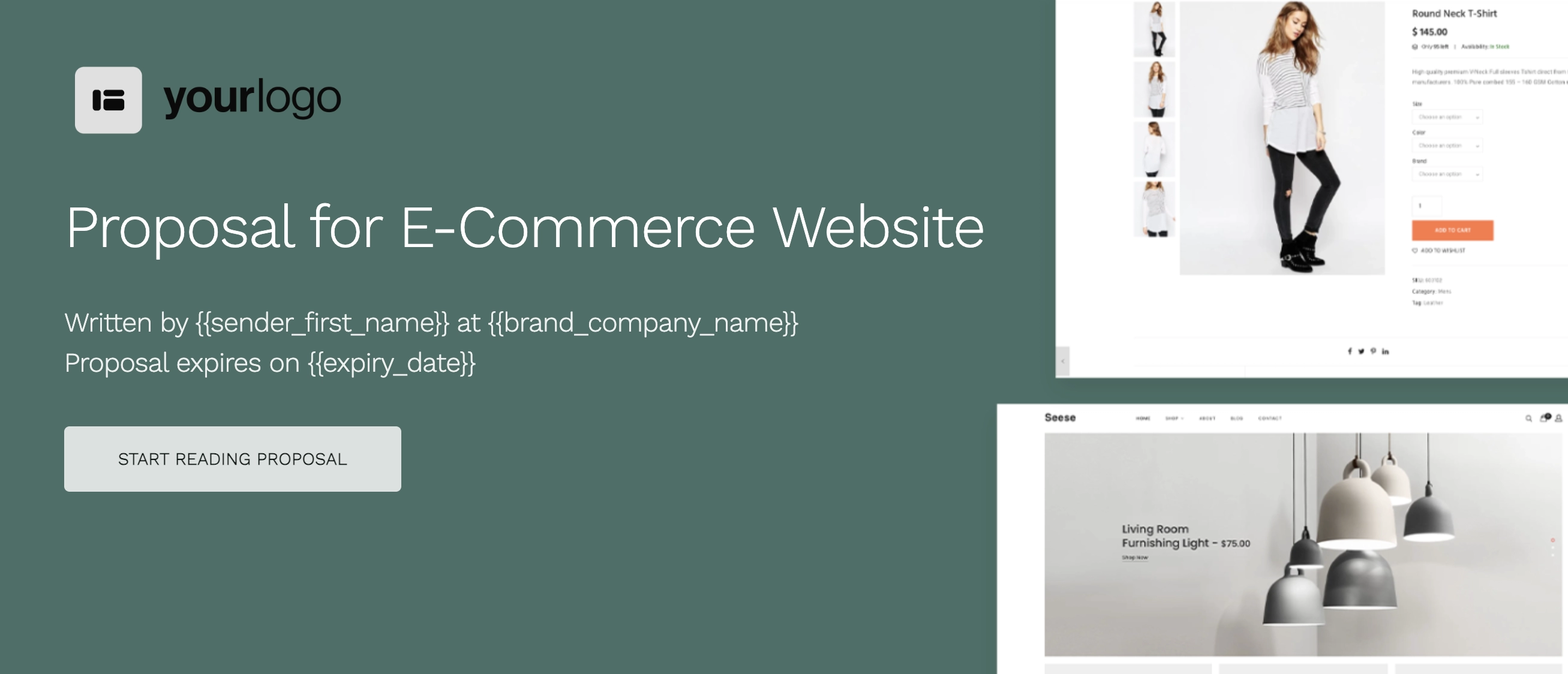
Then you can spend your time on the parts that actually need to be written for this client: what they're trying to achieve, what you recommend, what the work includes, and what it costs.
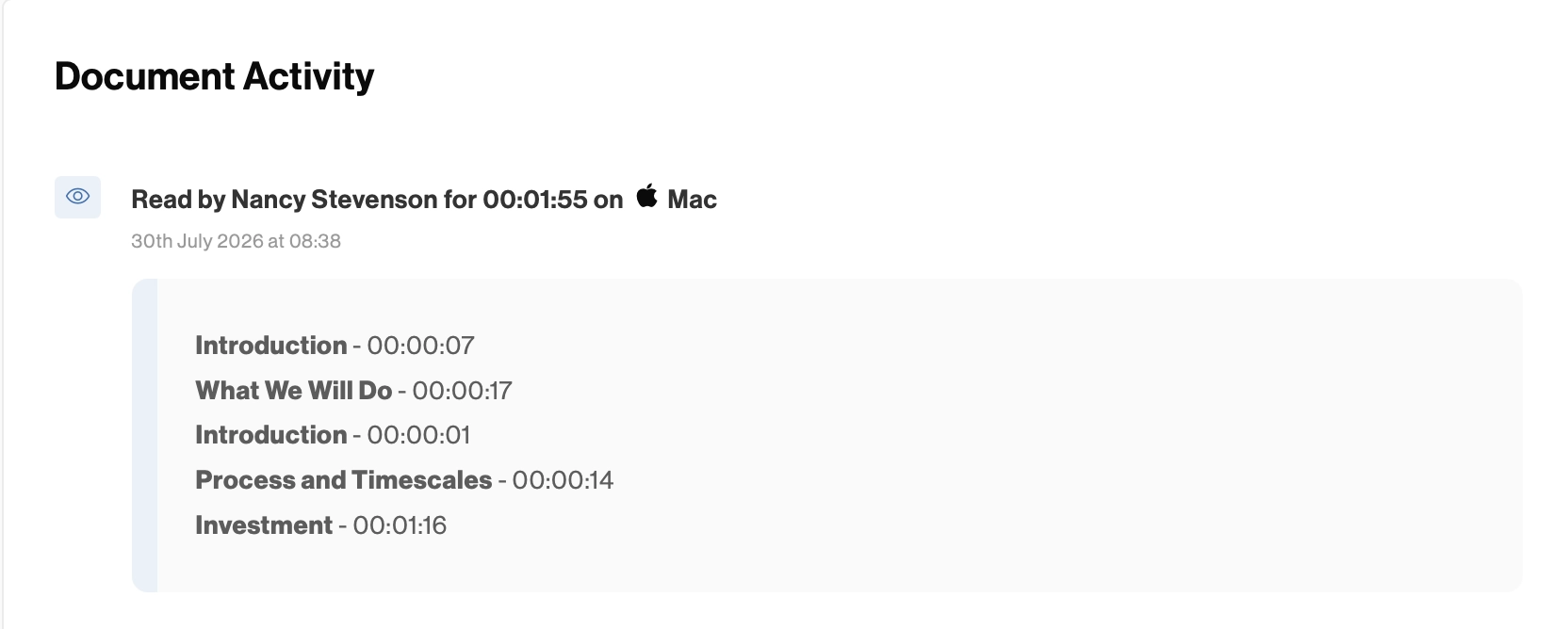
Once sent, the proposal also doesn't disappear into the client's inbox. You can see whether they've opened it, which sections they've spent time on, and what they keep coming back to.
That information matters when it's time to follow up.
2. A proposal won't follow up on itself
The client might open the proposal immediately, read it, and then get pulled into something else. It might sit unopened because it landed on the wrong day, or they've come back to the pricing several times.
Those aren't the same situations, so sending those clients the same automatic “just following up” email makes no sense. Doing nothing isn't much better.
Without a follow-up system, someone has to keep checking outstanding proposals, remember when each one was sent, and decide who needs an email today. Once you're sending more than a handful of proposals at a time, things start getting easy to miss.
Document workflow automation helps here as well by keeping track of which proposals need attention and when. You set up different follow-up timeframes depending on whether a proposal has been sent or opened, then see what needs doing today in one place.
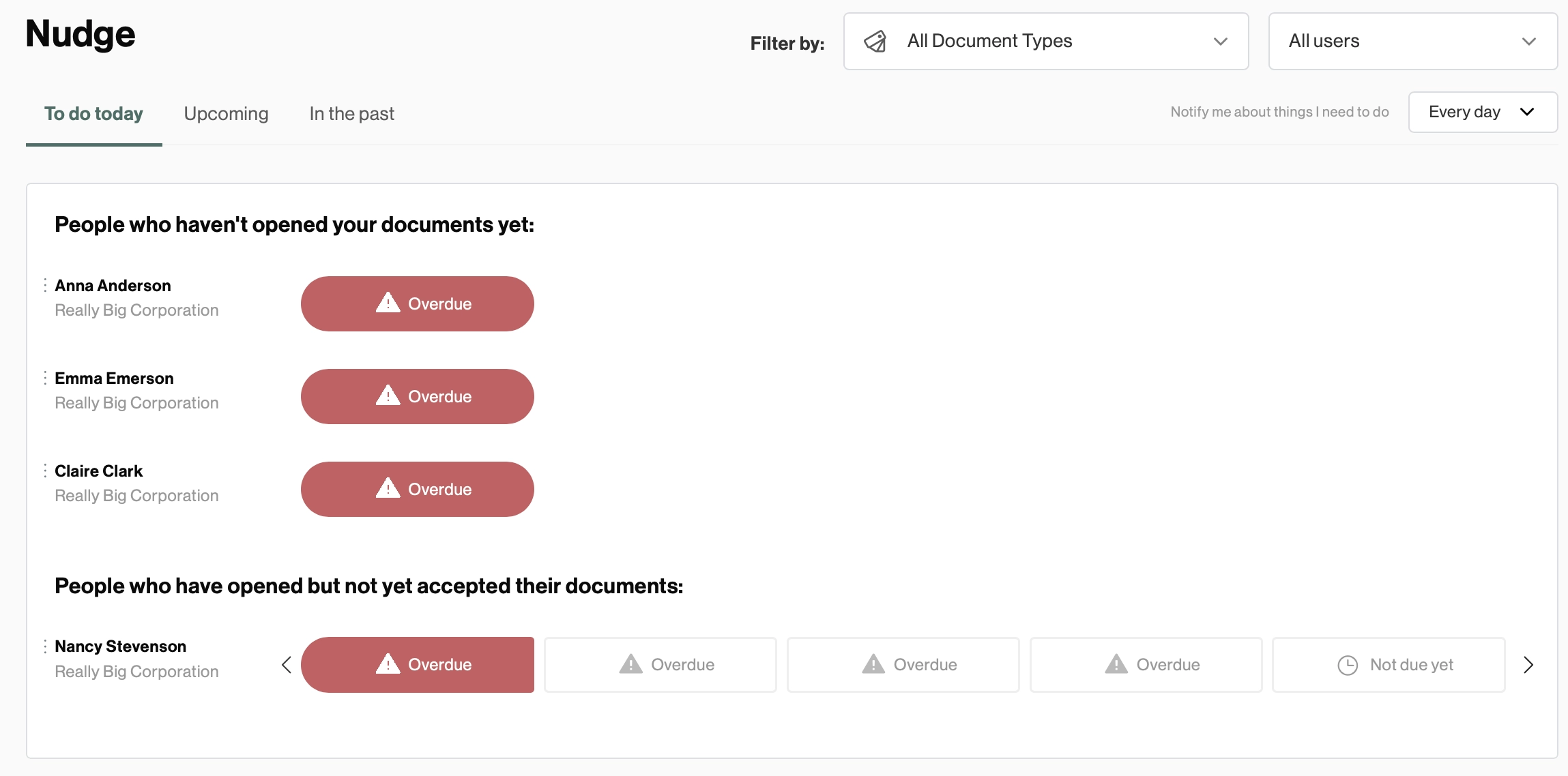
When a follow-up is due, you can preview the proposal, check the prepared email, personalize it, and send.
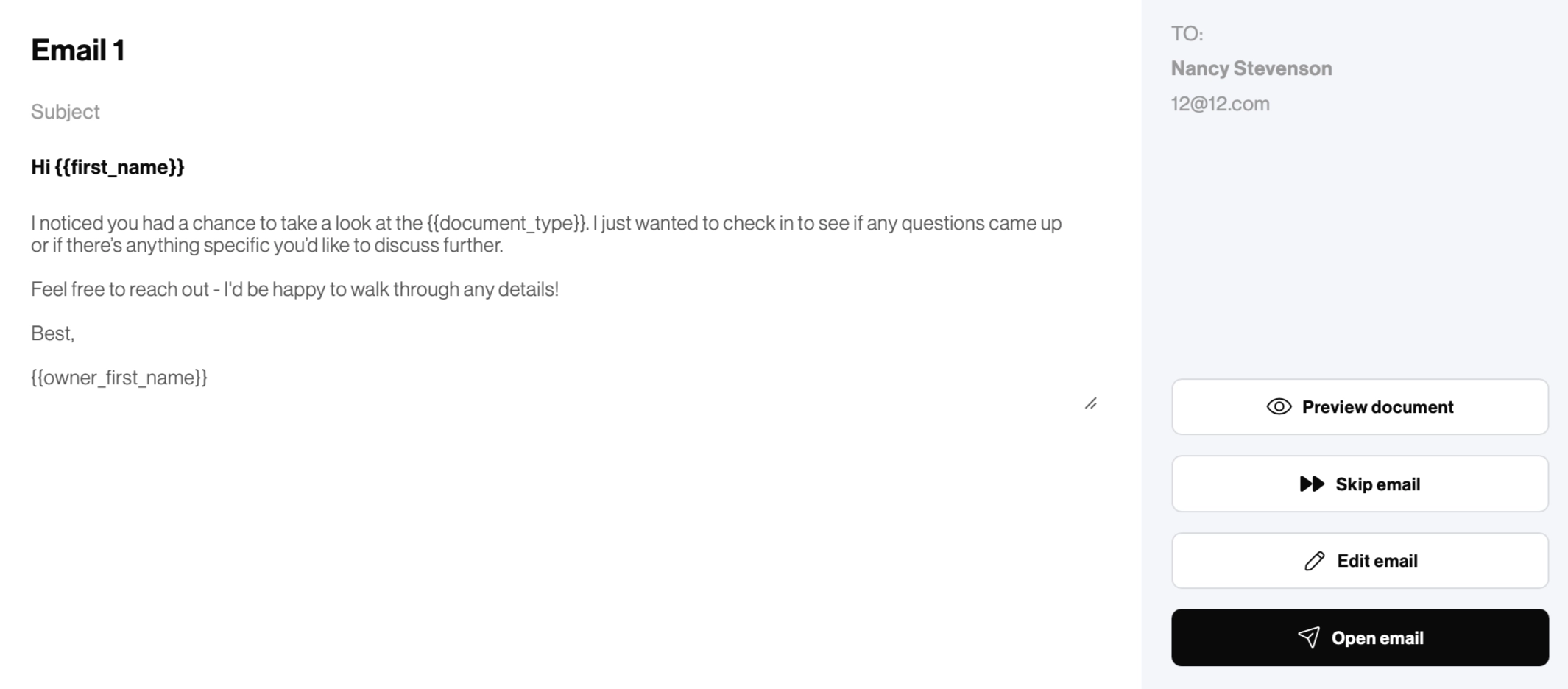
You still decide what to say and whether now is the right time to send it.
The remembering part is automated. The relationship isn't.
3. One yes should be enough
The client has read the proposal. They understand the scope, they're happy with the price, and they're ready to move ahead.
Then you send them another document. Now the client now has to check that the two documents match, sign again, and send the contract back. You get another version to store, another signature to chase, and another place for the agreed details to change.
Instead of giving them unnecessary extra admin, include everything in the proposal and let the client approve it there.
They can choose any optional extras, accept the terms, and sign electronically. Once they do, you have a final record of exactly what they bought and how much they agreed to pay.
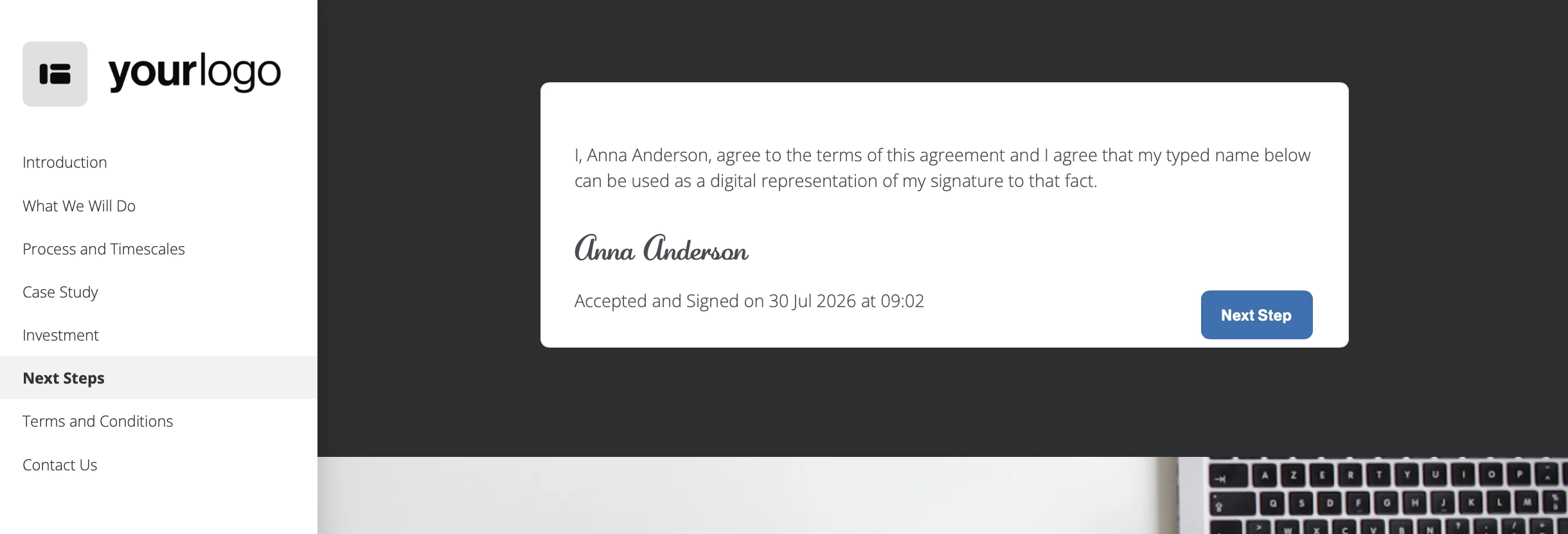
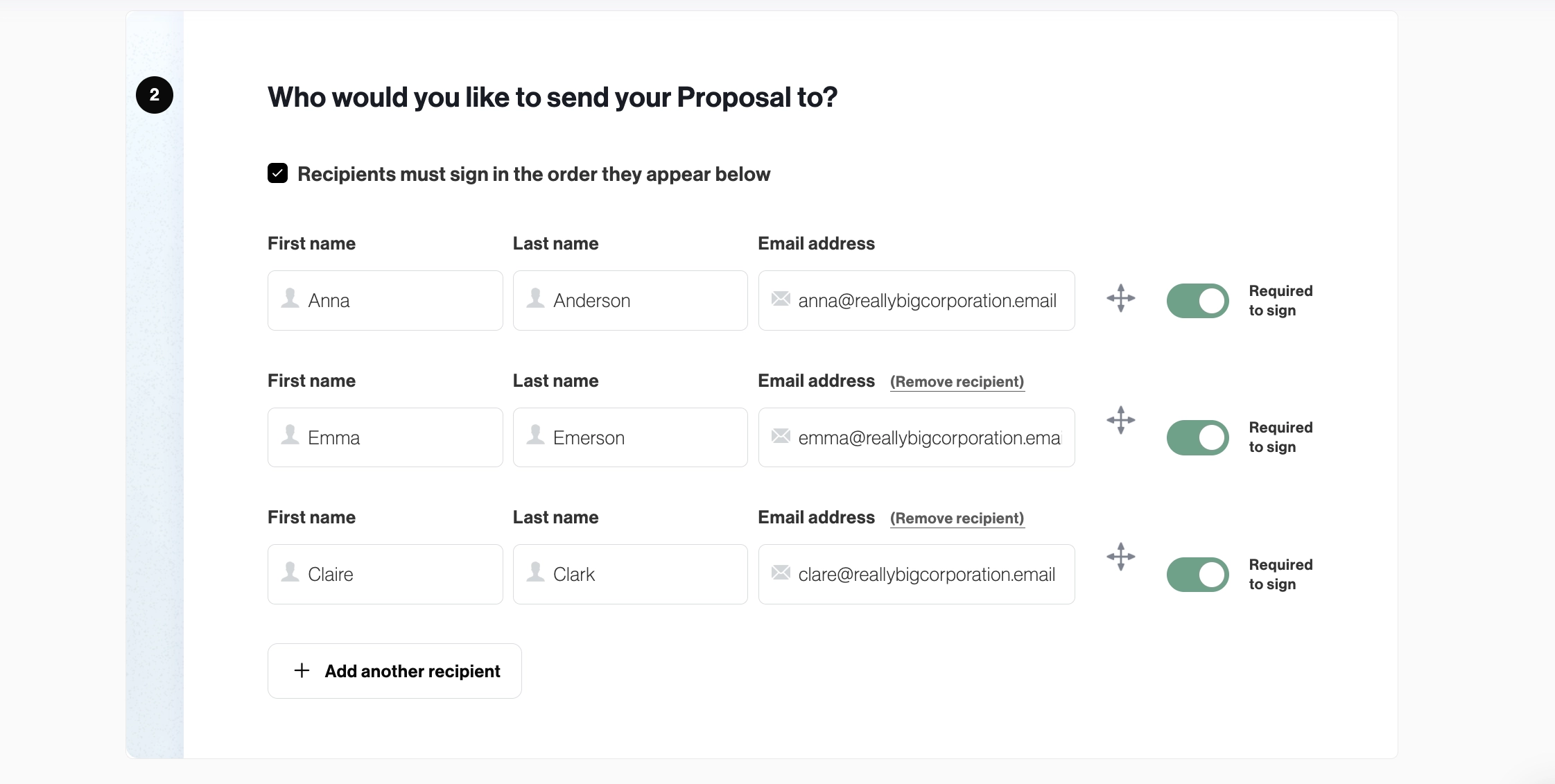
If several people need to sign, just set them all up as signatories in the right order on the same document.
The time savings here aren't small either. A Forrester study showed electronic signature and approval workflows cut the average completion time from around seven days to two hours.
That's a 96% reduction in waiting around for a document to get signed.
4. Collect your deposit right away
Once the proposal is signed, somebody usually tells finance to send the deposit invoice.
Finance then needs to find the client details, check the proposal, work out which extras were selected, confirm whether there was a discount, and type the final amount into another system.
All this to recreate a price the client has already approved.
This is where mistakes happen. An extra doesn't make it across. A discount gets forgotten. The invoice uses the standard deposit even though this client agreed to different payment terms.
Now the client has to point out the error and wait for a replacement.
With document workflow automation, the amount agreed in the proposal carries straight into the payment step.
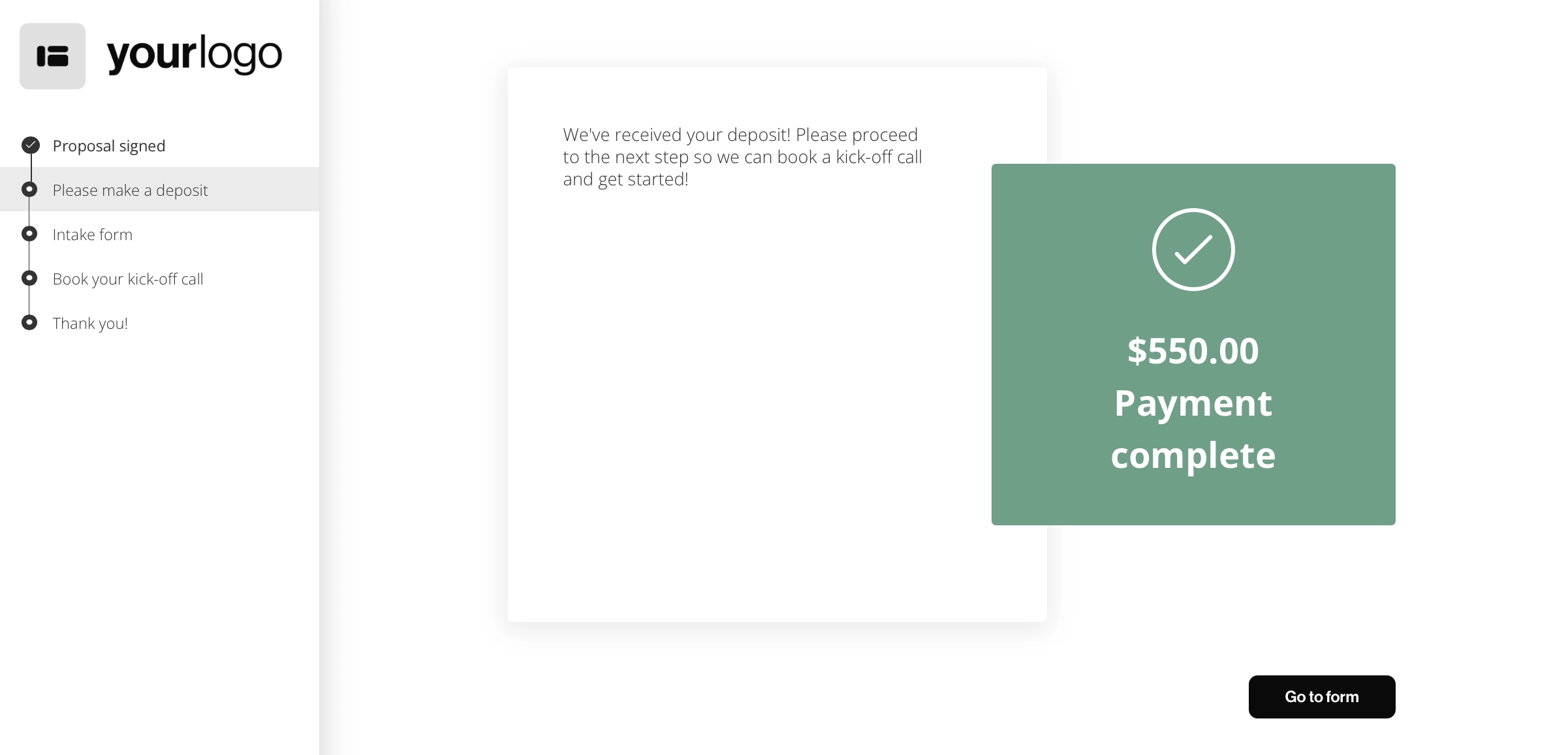
The client signs, pays the deposit, and you get the payment confirmation right away. Nobody needs to watch the bank account, match the transfer to an email, or ask the client to send a screenshot.
5. Start your onboarding right after signing
Document workflow automation lets onboarding start right away. Once the payment step is completed, your client is automatically taken to your intake form.
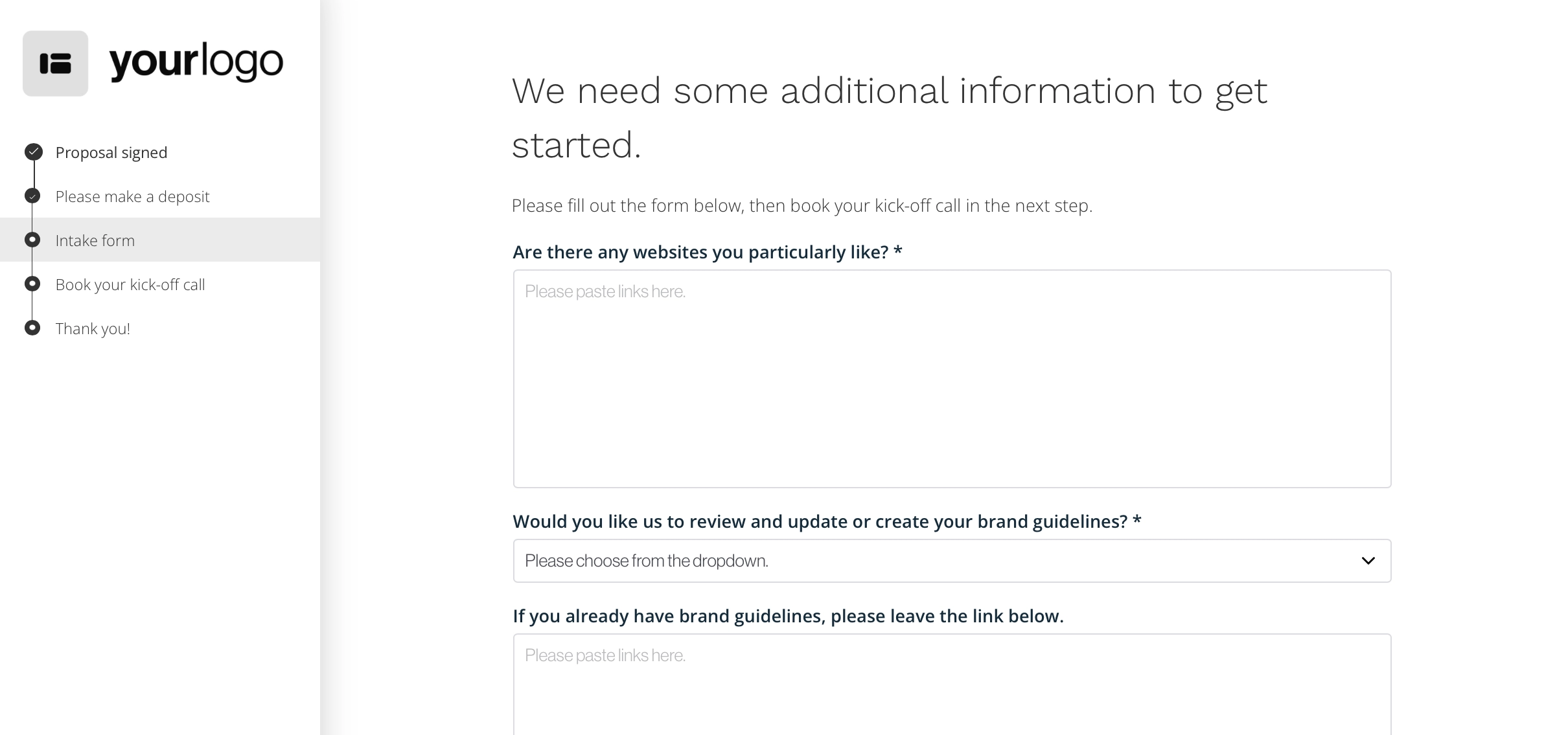
The questions can also change depending on what the client bought. It's as simple as assigning the right onboarding flow to the right document.
Say you're a web agency. A website design client might need to send their logo, brand guidelines, hosting details, and examples of websites they like.
You create a field for each link in your onboarding form, and all they need to do is paste them in. Nothing gets forgotten or lost in an email chain.
When the form is completed, the answers stay linked to your document.
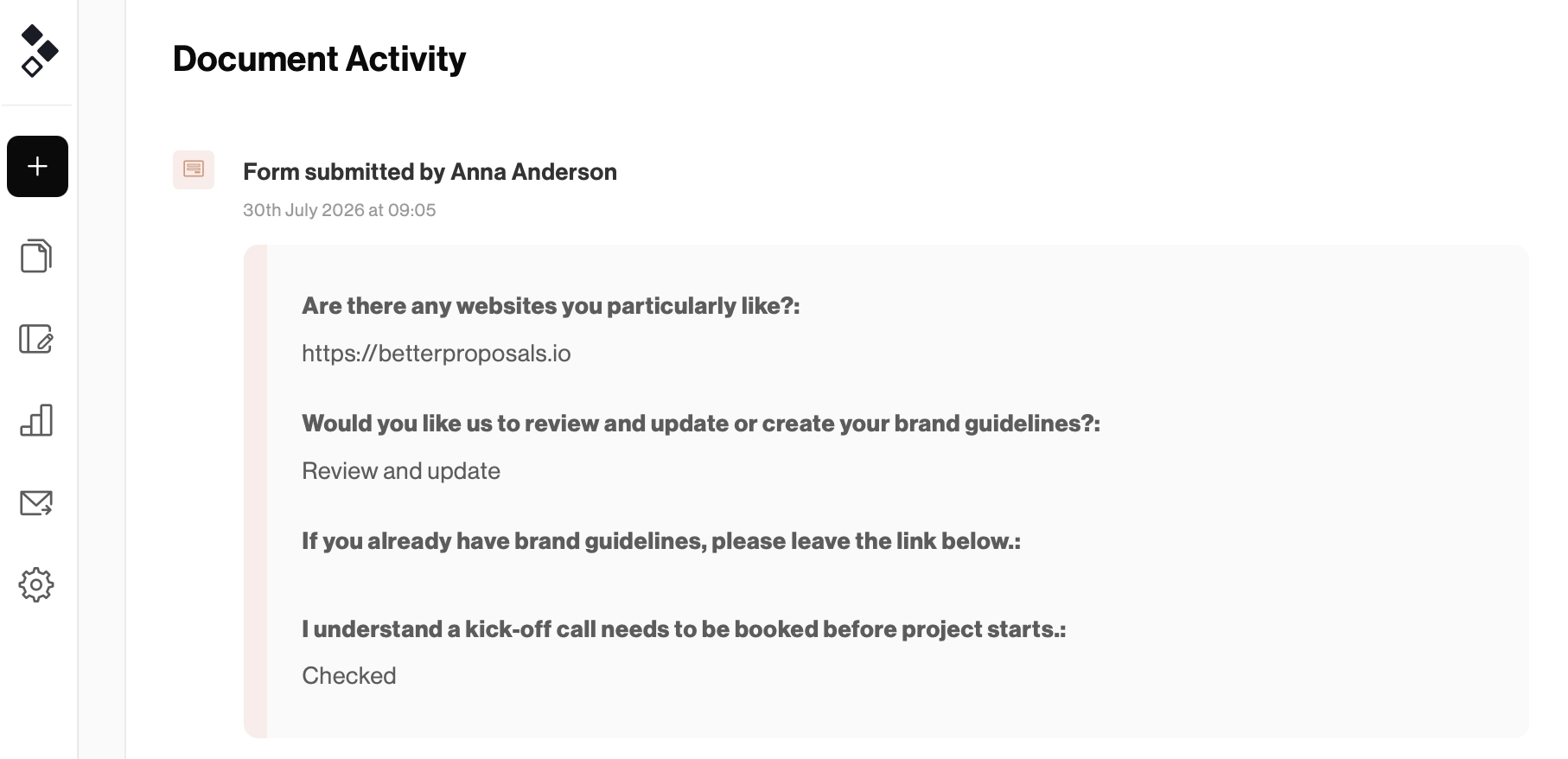
The project manager can be copied in so they know as soon as the form is completed, and the client moves on to the next step: a link to book the kickoff call.
Automate the process, not the conversation
There's a point where automation goes too far. You know the experience.
You ask a simple question, then receive an email that doesn't answer it. You reply again, and get another email that somehow feels even less like a human being is involved.
That's not what document workflow automation is about.
You still need people for discovery calls, recommendations, questions, and negotiations. If a client is confused about the scope, an automatic reminder isn't going to solve it.
What you don't need is a person copying a company name from the CRM into a proposal. You also don't need someone reading the signed proposal and typing the same total into an invoice.
Automate the copying, checking, and moving of information. Keep the conversations that need a brain.
Your proposal is just the beginning
Once the client says yes, they shouldn't have to wait for a contract, correct an invoice, or repeat information they've already given you. They should be able to sign, pay, and get started without wondering what happens next.
That's what document workflow automation is for. It connects the steps, removes the repeated admin, and keeps the process moving.
A great proposal makes a strong first impression. A good process makes sure it lasts.
FAQs on document workflow automation